Issue: 01
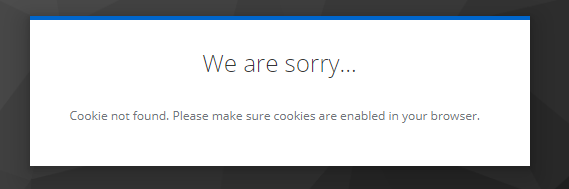
After login keycloak display "Cookie not found. Please make sure cookies are enabled in your browser.
Issue:
-
we faced in this issue in Microsoft Edge browser in development

Causes:
-
Keycloak server Running on default path (
/) like ex: https://XXXX.kanilebettu.in/realms/<realm_name>/ and we change keycloak path (/auth/) as like ex: https://XXXX.kanilebettu.in/auth/realms/<realm_name>/protocol/openid-……;. -
So that browser is save the old data ( old path ) when we try to login using new url its redirecting to old path.
Solution:
In the Edge browser:
-
Click on the Edge menu (3 dots) on the top right hand side
-
Click on
Settings -
On the left hand side, click
Privacy, search, and services. -
Under the
Clear browsing dataclickChoose what to clear. -
Select
Cookies and other site data -
Select time range to clear cookies and other site data.
-
Click on
Clear nowand wait for that dialogue box to exit -
Close all open Edge instances and therefore all tabs
| For further information on how to manage Edge data on your computer, visit Delete cookies in Microsoft Edge. |