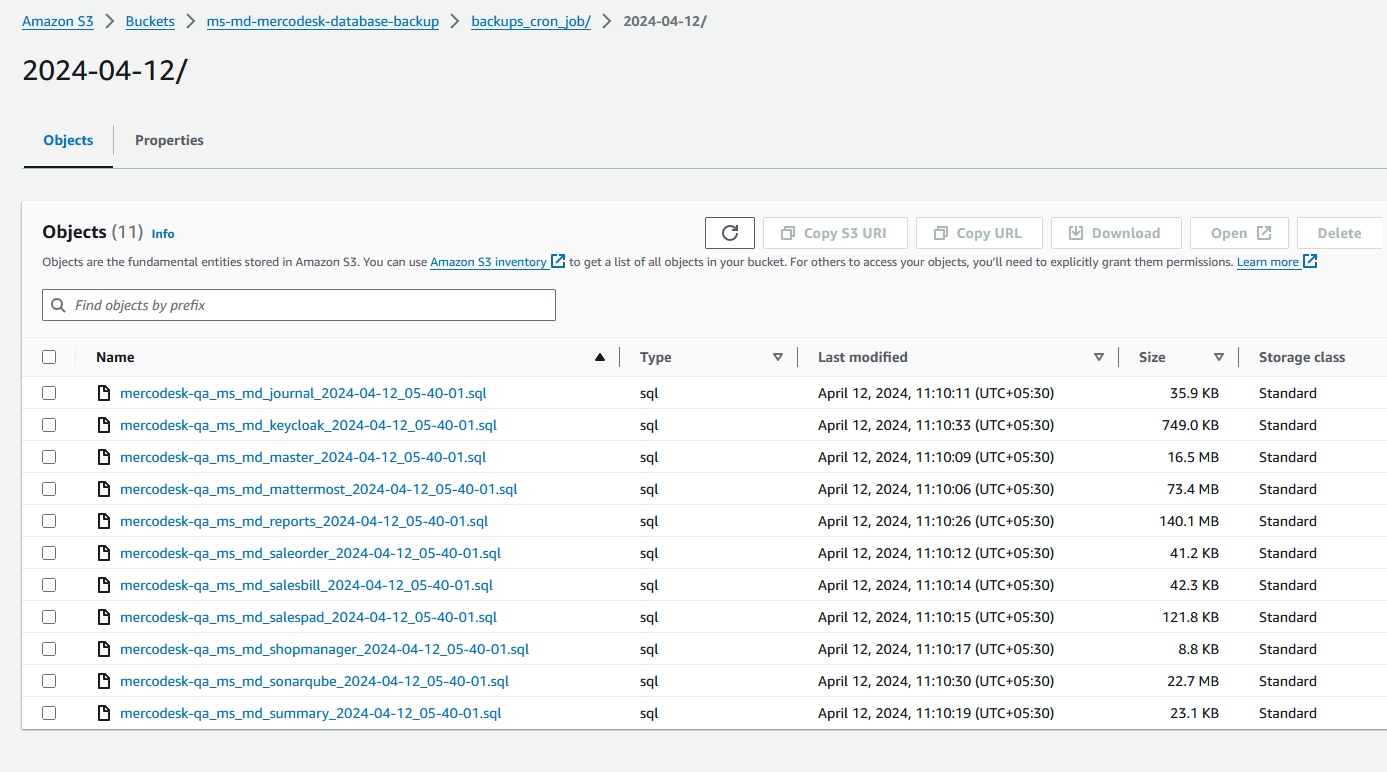
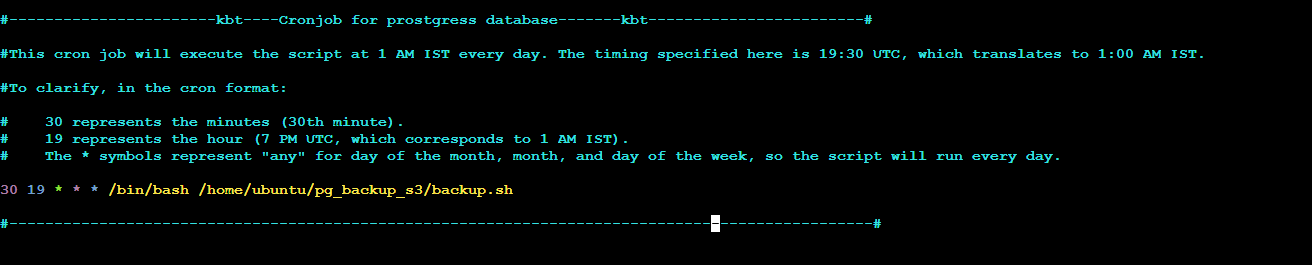
PostgreSQL Schema-Level Backup Bash Script with Cron Job and S3 Storage
Description
A Bash script to take PostgreSQL backups at the schema level and upload them to an S3 bucket.
Prerequisites
-
Access to a PostgreSQL database with the necessary privileges to perform backups.
-
AWS CLI configured with access to the S3 bucket where backups will be stored.
Create the Bash Script
-
Create a
backup.shfile
#!/bin/bash

# PostgreSQL connection details
HOST="x.1x9.xx1.2xx"
USER="<username>"
DB_NAME="<db_name>"

# Directory to store backups
BACKUP_DIR="/home/ubuntu/pg_backup_s3"

# S3 bucket details
S3_BUCKET="<s3_bucket_name>"
S3_PREFIX="<backups_S3_PREFIX>"

# Timestamp for backup file
TIMESTAMP=$(date +"%Y-%m-%d_%H-%M-%S")

# Extract date from the timestamp
DATE=$(date +"%Y-%m-%d")

# Loop through all schemas and backup each one
for SCHEMA_NAME in $(PGPASSWORD=<pgpassword> psql -h $HOST -U $USER -d $DB_NAME -t -c "SELECT schema_name FROM information_schema.schemata")
do
  # Skip system schemas
  if [[ "$SCHEMA_NAME" != "pg_"* && "$SCHEMA_NAME" != "information_schema" && "$SCHEMA_NAME" != "public" ]]; then
    # Backup the schema
    PGPASSWORD=<pgpassword> pg_dump -h $HOST -U $USER -d $DB_NAME -n $SCHEMA_NAME -f $BACKUP_DIR/${DB_NAME}_${SCHEMA_NAME}_${TIMESTAMP}.sql

    # Upload the backup file to S3
    aws s3 cp $BACKUP_DIR/${DB_NAME}_${SCHEMA_NAME}_${TIMESTAMP}.sql s3://$S3_BUCKET/$S3_PREFIX/$DATE/

    # Delete the local backup file
    rm $BACKUP_DIR/${DB_NAME}_${SCHEMA_NAME}_${TIMESTAMP}.sql
  fi
done