Automating Keycloak Infrastructure using Terraform script
1. Pre-requisite:
-
Install awscli-2 and Configure Acces key and secret key on local machine.
-
Install the terraform on local machine by following the steps given on the link .
2. Created a ECR repository named kbt_keycloak, for pushing the docker images from Gitlab.
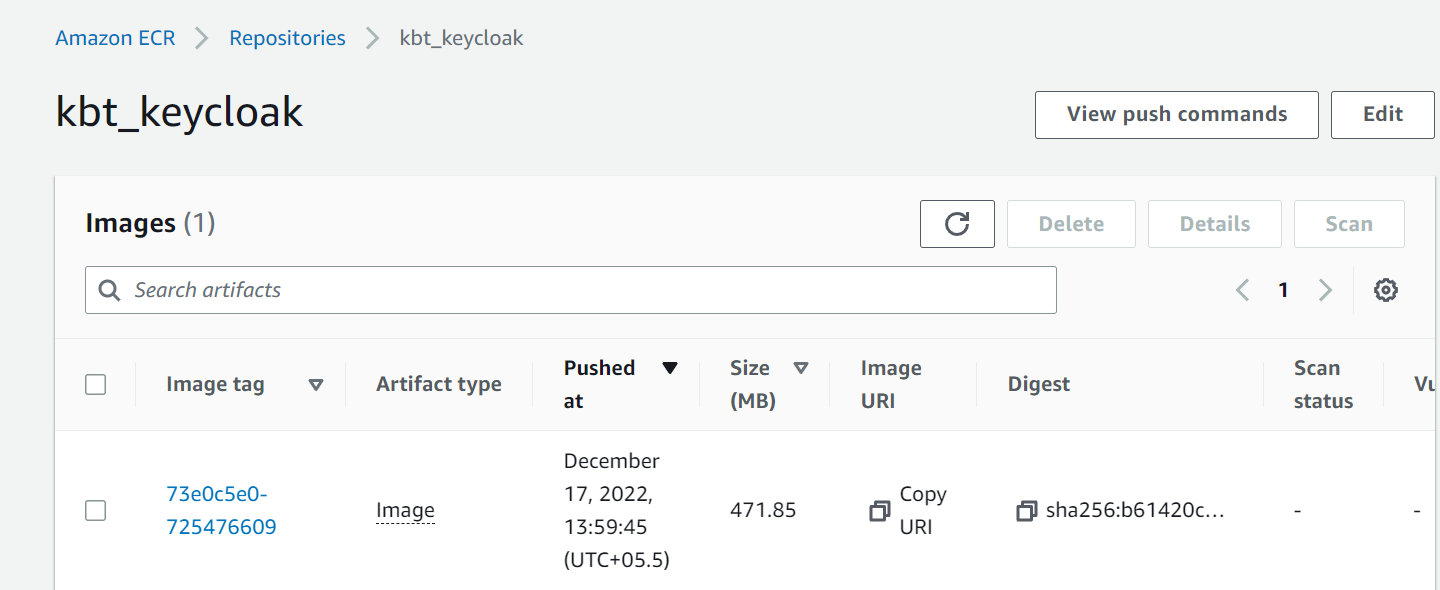
Figure 1. Dockerfile
The terraform script for ECR to refer existing one will be
data "aws_ecr_repository" "kbt-md-repo-ecr" {
name                 = "kbt-md-repo-ecr"
}
3. Created a VPC, subnets, route table, association, Internet gateway, NAT gateway .
data "aws_vpc" "kbt_vpc_dev" {
id = var.kbt_vpc_dev
}
data "aws_subnet" "kbt_pubsub_a" {
filter {
name   = "tag:Name"
values = ["kbt-md-aps-dev-1a-pubsub"]
}
}
data "aws_subnet" "kbt_pubsub_b" {
filter {
name   = "tag:Name"
values = ["kbt-md-aps-dev-1b-pubsub"]
}
}
data "aws_subnet" "kbt_privsub_a" {
filter {
name   = "tag:Name"
values = ["kbt-md-aps-dev-1a-prisub"]
}
}
data "aws_subnet" "kbt_privsub_b" {
filter {
name   = "tag:Name"
values = ["kbt-md-aps-dev-1b-prisub"]
}
}
data "aws_internet_gateway" "kbt_igw" {
filter {
name   = "attachment.vpc-id"
values = [var.kbt_vpc_dev]
}
}
4. Created a cloudwatch logs and streams, to view each and every microservices logs.
#cloudwatch log group and log stream for sb microservice
resource "aws_cloudwatch_log_group" "sb_ecs_logs" {
name = "/sbqa/logs"
retention_in_days = 30
}
resource "aws_cloudwatch_log_stream" "sb_ecs_logs_stream" {
name           = "sbqa_stream"
log_group_name = aws_cloudwatch_log_group.sb_ecs_logs.name
}
#cloudwatch log group and log stream for sp microservice
resource "aws_cloudwatch_log_group" "sp_ecs_logs" {
name = "/spqa/logs"
retention_in_days = 30
}
resource "aws_cloudwatch_log_stream" "sp_ecs_logs_stream" {
name           = "spqa_stream"
log_group_name = aws_cloudwatch_log_group.sp_ecs_logs.name
}
#cloudwatch log group and log stream for so microservice
resource "aws_cloudwatch_log_group" "so_ecs_logs" {
name = "/soqa/logs"
retention_in_days = 30
}
resource "aws_cloudwatch_log_stream" "so_ecs_logs_stream" {
name           = "soqa_stream"
log_group_name = aws_cloudwatch_log_group.so_ecs_logs.name
}
#cloudwatch log group and log stream for master microservice
resource "aws_cloudwatch_log_group" "master_ecs_logs" {
name = "/masterqa/logs"
retention_in_days = 30
}
resource "aws_cloudwatch_log_stream" "master_ecs_logs_stream" {
name           = "masterqa_stream"
log_group_name = aws_cloudwatch_log_group.master_ecs_logs.name
}
#cloudwatch log group and log stream for si microservice
resource "aws_cloudwatch_log_group" "si_ecs_logs" {
name = "/siqa/logs"
retention_in_days = 30
}
resource "aws_cloudwatch_log_stream" "si_ecs_logs_stream" {
name           = "siqa_stream"
log_group_name = aws_cloudwatch_log_group.si_ecs_logs.name
}
#cloudwatch log group and log stream for sm microservice
resource "aws_cloudwatch_log_group" "sm_ecs_logs" {
name = "/smqa/logs"
retention_in_days = 30
}
resource "aws_cloudwatch_log_stream" "sm_ecs_logs_stream" {
name           = "smqa_stream"
log_group_name = aws_cloudwatch_log_group.sm_ecs_logs.name
}
#cloudwatch log group and log stream for journal microservice
resource "aws_cloudwatch_log_group" "jrnl_ecs_logs" {
name = "/jrnlqa/logs"
retention_in_days = 30
}
resource "aws_cloudwatch_log_stream" "jrnl_ecs_logs_stream" {
name           = "jrnlqa_stream"
log_group_name = aws_cloudwatch_log_group.jrnl_ecs_logs.name
}
#cloudwatch log group and log stream for journal microservice
resource "aws_cloudwatch_log_group" "kck_ecs_logs" {
name = "/kcqa/logs"
retention_in_days = 30
}
resource "aws_cloudwatch_log_stream" "kck_ecs_logs_stream" {
name           = "kcqa_stream"
log_group_name = aws_cloudwatch_log_group.kck_ecs_logs.name
}
5. Created a IAM Role for giving permissions and role to create the infrastructure.
data "aws_iam_role" "kb_ecs_task_execution_role" {
name = "kb-ecs-task-execution-role"
}
data "aws_iam_role" "ecs-service-role" {
name = "kb-ecs-role"
}
data "aws_iam_instance_profile" "ecs-instance-role" {
name = "ecsInstanceRole"
}
6. Created security group for the ECS, ALB and PostgreSQL instance.
data "aws_security_group" "kb_ecs_sg" {
name = "master-ecs-sg"
}
data "aws_security_group" "kb_alb_sg" {
name = "rds-demo-alb-sg"
}
data "aws_security_group" "kb_postgres_sg" {
name = "kbt-md-rds-sg-dev"
}
7. Created a versions.tf file for providing the version of terraform ,s3 bucket for storing the state files and the region specified where the infrastructure has to be run.
terraform {
required_version = "~> 1.3.5"
required_providers {
aws = {
source  = "hashicorp/aws"
version = "~> 4.5.0"
}
}
backend "s3" {
bucket         = "data-state-tf"
key            = "terraform-ecs2.tfstate"
region         = "ap-south-1"
encrypt        = true
}
}
# configure aws provider
provider "aws" {
    region  = var.region
}
8. Created variables.tf file for storing the values which will be executed at runtime.
variable "kbt_vpc_dev" {
default = "vpc-004360fc01cbcbc29"
}
variable "region" {
default = "ap-south-1"
}
variable "image_id" {
default = "ami-0df7a53affdc7cb92"
}
variable "instance_type" {
default = "t2.medium"
}
variable "key_name" {
default = "kbt-microservices"
}
variable "volume_size" {
default = 30
}
variable "volume_type" {
default = "gp2"
}
variable "load_balancer_type" {
default = "application"
}
variable "desired_capacity" {
default = 1
}
variable "min_size" {
default = 1
}
variable "max_size" {
default = 1
}
variable "health_check_grace_period" {
default = 300
}
variable "health_check_type" {
default = "EC2"
}
variable "target_type" {
default = "instance"
}
variable "healthy_threshold" {
default = "10"
}
variable "healthy_interval" {
default = "300"
}
variable "healthy_protocol" {
default = "HTTP"
}
variable "healthy_matcher" {
default = "200"
}
variable "healthy_timeout" {
default = "120"
}
variable "unhealthy_threshold" {
default = "10"
}
variable "tg_port" {
default = 80
}
variable "tg_protocol" {
default = "HTTP"
}
variable "ssl_policy" {
default = "ELBSecurityPolicy-2016-08"
}
variable "certificate_arn" {
default = "arn:aws:acm:ap-south-1:948930947331:certificate/b2ab6c06-f3d4-4658-9dee-172b28b86e8e"
}
variable "zone_id" {
default = "Z0221120RSG766W3M095"
}
variable "task_memory" {
default = 512
}
variable "task_cpu" {
default = 256
}
variable "RDS_PASSWORD" {
default = "kbtrdspswd5200"
}
variable "network_mode" {
default = "bridge"
}
variable "launch_type" {
default = "EC2"
}
variable "scheduling_strategy" {
default = "REPLICA"
}
variable "task_count" {
default = 1
}
variable "KB_CLIENT_SECRET" {
default = "dqUGB9zCd02I73Xb6C9jGQx9CHxZkytw"
}
9. Created main.tf file for creating the ECS EC2 cluster with autoscaling, for placing our microservices task into it.
resource "aws_ecs_cluster" "kb_ecs_cluster_2" {
name = "kbt-cluster-qa2"
}
resource "aws_launch_configuration" "kbt_ec2_cluster_2" {
associate_public_ip_address = true
iam_instance_profile        = data.aws_iam_instance_profile.ecs-instance-role.name
image_id                    = var.image_id
instance_type               = var.instance_type
key_name                    = var.key_name
lifecycle {
create_before_destroy = true
}
root_block_device {
volume_size = var.volume_size
volume_type = var.volume_type
}
security_groups = [data.aws_security_group.kb_ecs_sg.id]
user_data = <<-EOF
#!/bin/bash
echo ECS_CLUSTER=${aws_ecs_cluster.kb_ecs_cluster_2.name} >> /etc/ecs/ecs.config
EOF
}
resource "aws_autoscaling_group" "ecs_asg_2" {
name                      = "kbt_asg_2"
vpc_zone_identifier       = [data.aws_subnet.kbt_pubsub_a.id]
launch_configuration      = aws_launch_configuration.kbt_ec2_cluster_2.name
desired_capacity          = var.desired_capacity
min_size                  = var.min_size
max_size                  = var.max_size
health_check_grace_period = var.health_check_grace_period
health_check_type         = var.health_check_type
}
10. Created Application Load Balancer for path based routing.
resource "aws_lb" "kbt_alb" {
name               = "kb-ecs-alb"
internal           = false
load_balancer_type = var.load_balancer_type
security_groups    = [data.aws_security_group.kb_alb_sg.id]
subnets         = [data.aws_subnet.kbt_pubsub_a.id, data.aws_subnet.kbt_pubsub_b.id]
}
11. Created a target group for the Keycloak.
    resource "aws_alb_target_group" "kck_tg" {
    name        = "kb-alb-kck-tg"
    port        = var.tg_port
    protocol    = var.tg_protocol
    vpc_id      = data.aws_vpc.kbt_vpc_dev.id
    target_type = var.target_type
    health_check {
    healthy_threshold   = var.healthy_threshold
    interval            = var.healthy_interval
    protocol            = var.healthy_protocol
    matcher             = var.healthy_matcher
    timeout             = var.healthy_timeout
    path                = "/health"
    unhealthy_threshold = var.unhealthy_threshold
  }
}
12. Created a http listener for routing the backend to https listener.
# Redirect all traffic from the ALB to the target group
resource "aws_alb_listener" "http_end" {
  load_balancer_arn = aws_lb.kbt_alb.arn
  port              = 80
  protocol          = "HTTP"
  default_action {
    type             = "redirect"
    redirect {
      port        = "443"
      protocol    = "HTTPS"
      status_code = "HTTP_301"
    }
  }
}
13. Created a default rule action for https listener , when the target group finds that particular path .
resource "aws_alb_listener" "https_listener" {
load_balancer_arn = aws_lb.kbt_alb.arn
port              = "443"
protocol          = "HTTPS"
ssl_policy        = var.ssl_policy
certificate_arn   = var.certificate_arn
default_action {
type             = "fixed-response"
fixed_response {
content_type = "text/plain"
message_body = "OK"
status_code  = "200"
}
}
}
14. Created a listener rule for keycloak, when it find the specific path pattern in the url, this will route the request to that particular service,
resource "aws_alb_listener_rule" "path_kck" {
listener_arn = aws_alb_listener.https_listener.arn
condition {
path_pattern {
values = ["/*"]
}
}
action {
target_group_arn = aws_alb_target_group.kck_tg.arn
type             = "forward"
}
}
15. Created ecs_keycloak.tf file for the task definion and service to be placed in the cluster.
#Created task definition for keycloak
resource "aws_ecs_task_definition" "kbt_task_defn_keycloak" {
family                = "ec2-keycloak-dev-qa"
memory                = var.task_memory
cpu                   = var.task_cpu
task_role_arn         = data.aws_iam_role.kb_ecs_task_execution_role.arn
execution_role_arn    = data.aws_iam_role.kb_ecs_task_execution_role.arn
container_definitions = <<DEFINITION
[
{
"name": "kbkeycloak-qa",
"image": "948930947331.dkr.ecr.ap-south-1.amazonaws.com/kbt_keycloak:v17",
"portMappings": [
{
"hostPort": 0,
"protocol": "tcp",
"containerPort": 8080
}
],
"command": [
"start-dev"
],
"linuxParameters": null,
"cpu": 0,
"environment": [
{
"name": "KC_HEALTH_ENABLED",
"value": "true"
},
{
"name": "JGROUPS_DISCOVERY_PROPERTIES",
"value": "datasource_jndi_name=java:jboss/datasources/KeycloakDS,info_writer_sleep_time=500,remove_old_coords_on_view_change=true"
},
{
"name": "JGROUPS_DISCOVERY_PROTOCOL",
"value": "JDBC_PING"
},
{
"name": "KC_DB",
"value": "postgres"
},
{
"name": "KC_DB_PASSWORD",
"value": "kbtrdspswd5200"
},
{
"name": "KC_DB_URL",
"value": "jdbc:postgresql://3.109.101.255:5432/mercodesk-qa?currentSchema=ms_md_keycloak"
},
{
"name": "KC_DB_USERNAME",
"value": "postgres"
},
{
"name": "KC_METRICS_ENABLED",
"value": "true"
},
{
"name": "KC_PROXY",
"value": "passthrough"
},
{
"name": "KEYCLOAK_ADMIN",
"value": "admin"
},
{
"name": "KEYCLOAK_ADMIN_PASSWORD",
"value": "kbmdadmin"
},
{
"name": "KC_HOSTNAME_STRICT",
"value": "false"
},
{
"name": "PROXY_ADDRESS_FORWARDING",
"value": "true"
},
{
"name": "REDIRECT_SOCKET",
"value": "proxy-https"
}
],
"logConfiguration": {
"logDriver": "awslogs",
"options": {
"awslogs-group": "/kcqa/logs",
"awslogs-stream-prefix": "kcqa_stream",
"awslogs-region": "${var.region}"
}
}
}
]
DEFINITION
network_mode = var.network_mode
requires_compatibilities = ["EC2"]
}
    # Created service for keycloak -task
    resource "aws_ecs_service" "kbt_service_kckqa" {
    name            = "kbt-kck-service"
    cluster         = aws_ecs_cluster.kb_ecs_cluster_2.id
    iam_role        = "${data.aws_iam_role.ecs-service-role.arn}"
    desired_count   = var.task_count
    launch_type     = var.launch_type
    scheduling_strategy = var.scheduling_strategy
    load_balancer {
    target_group_arn = aws_alb_target_group.kck_tg.arn
    container_name   = "kbkeycloak-qa"
    container_port   = 8080
  }
  task_definition = "${aws_ecs_task_definition.kbt_task_defn_keycloak.family}:${aws_ecs_task_definition.kbt_task_defn_keycloak.revision}"
  depends_on = [aws_alb_listener.https_listener, data.aws_iam_role.kb_ecs_task_execution_role]
}
16. Created a route 53 record for the keycloak on kanilebettu.in hosted zone.
resource "aws_route53_record" "keycloak" {
name = "keycloakqa.kanilebettu.in"
type = "A"
alias {
name                   = "${aws_lb.kbt_alb.dns_name}"
zone_id                = "${aws_lb.kbt_alb.zone_id}"
evaluate_target_health = true
}
zone_id = var.zone_id
}
17. Created output.tf file to give output of the alb name and dns_record name.
output "alb_name" {
value = aws_lb.kbt_alb.dns_name
}
output "route53_name_2" {
value = aws_route53_record.keycloak.name
}
18. After saving all the files, then we have to run the terraform script. The file structure will be in the format as displayed.
kb_ms_md_infra_automation(repo_name) → TF-ECS-EC2-Microservices folder →
.gitignore
versions.tf
variables.tf
main.tf
ecs_keycloak.tf
alb.tf
output.tf
19. Run the command terraform init, Initializes a new or existing Terraform working directory by creating initial files, loading any remote state.
terraform init
After running this command, .terraform folder will be created to set up all the local data necessary to run Terraform that is typically not committed to version control.
The output will be,
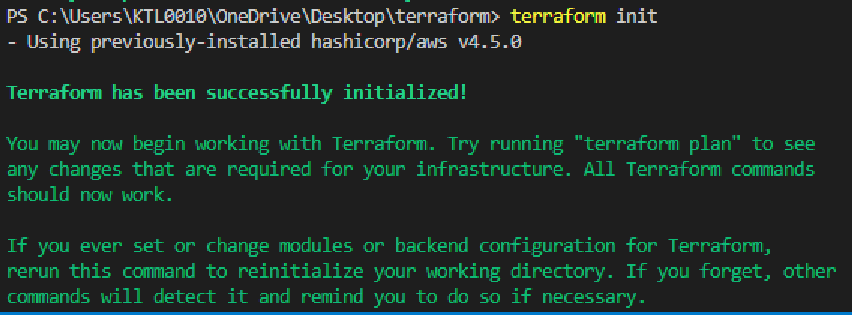
Figure 2. terraform init
20. Run terraform validate, this will validate all the configuration files for errors.
terraform validate
It refers only to the configuration and not accessing any remote services such as remote state, or provider APIs. +

Figure 3. terraform validate
21. Run terraform plan, this will generates an execution plan, showing what actions will Terraform take to apply the current configuration.
terraform plan
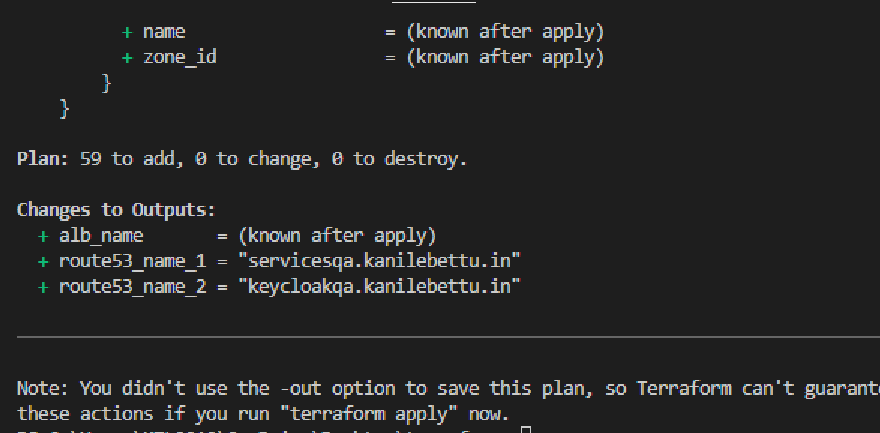
Figure 4. terraform plan
22. Run terraform apply, this will Creates or updates infrastructure according to Terraform configuration files in the current directory.
terraform apply -auto-approve
-auto-approve will Skip interactive approval of plan before applying.
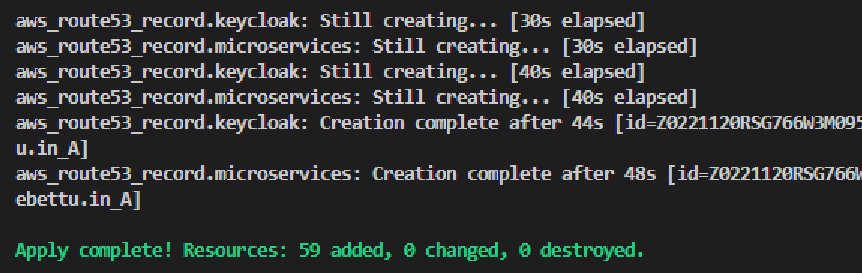
Figure 5. terraform apply
23. Search on the browser for https://keycloakqa.kanilebettu.in/realms/kb-india/ for the keycloak login page
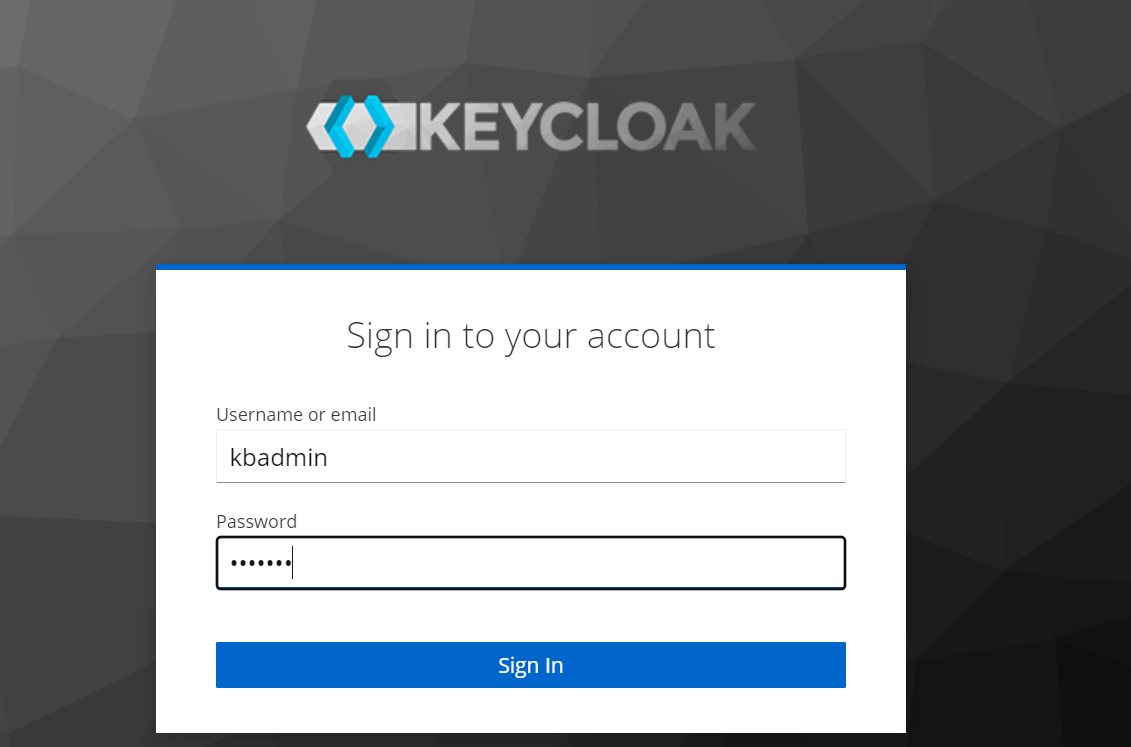
Figure 6. kc_login_page