Deploying Dependency-Track with Docker and OpenID Connect
Overview
This document provides step-by-step instructions for deploying Dependency-Track using Docker Compose along with configuring OpenID Connect (OIDC) for authentication and group synchronization.
Docker Compose Setup
To deploy Dependency-Track using Docker Compose, create a docker-compose.yml file with the following content:
version: '3.7'

volumes:
  dependency-track:

services:
  dtrack-apiserver:
    image: dependencytrack/apiserver
    environment:
      - ALPINE_OIDC_ENABLED=true
      - ALPINE_OIDC_ISSUER=https://<domine_name>/auth/realms/test
      - ALPINE_OIDC_CLIENT_ID=kbt-team
      - ALPINE_OIDC_USERNAME_CLAIM=preferred_username
      - ALPINE_OIDC_TEAMS_CLAIM=groups
      - ALPINE_OIDC_USER_PROVISIONING=true
      - ALPINE_OIDC_TEAM_SYNCHRONIZATION=true
    deploy:
      resources:
        limits:
          memory: 12288m
        reservations:
          memory: 8192m
      restart_policy:
        condition: on-failure
    ports:
      - '8081:8080'
    volumes:
      - 'dependency-track:/data'
    restart: unless-stopped

  dtrack-frontend:
    image: dependencytrack/frontend
    depends_on:
      - dtrack-apiserver
    environment:
      - API_BASE_URL=http://localhost:8081
      - OIDC_ISSUER=https://<domine_name>/auth/realms/test
      - OIDC_CLIENT_ID=kbt-team
      - OIDC_LOGIN_BUTTON_TEXT=keycloak
    ports:
      - '8080:8080'
    restart: unless-stopped
To start the Docker containers, run:
docker-compose up -dOpenID Connect Configuration
-
Login to Dependency-Track as an administrator.
-
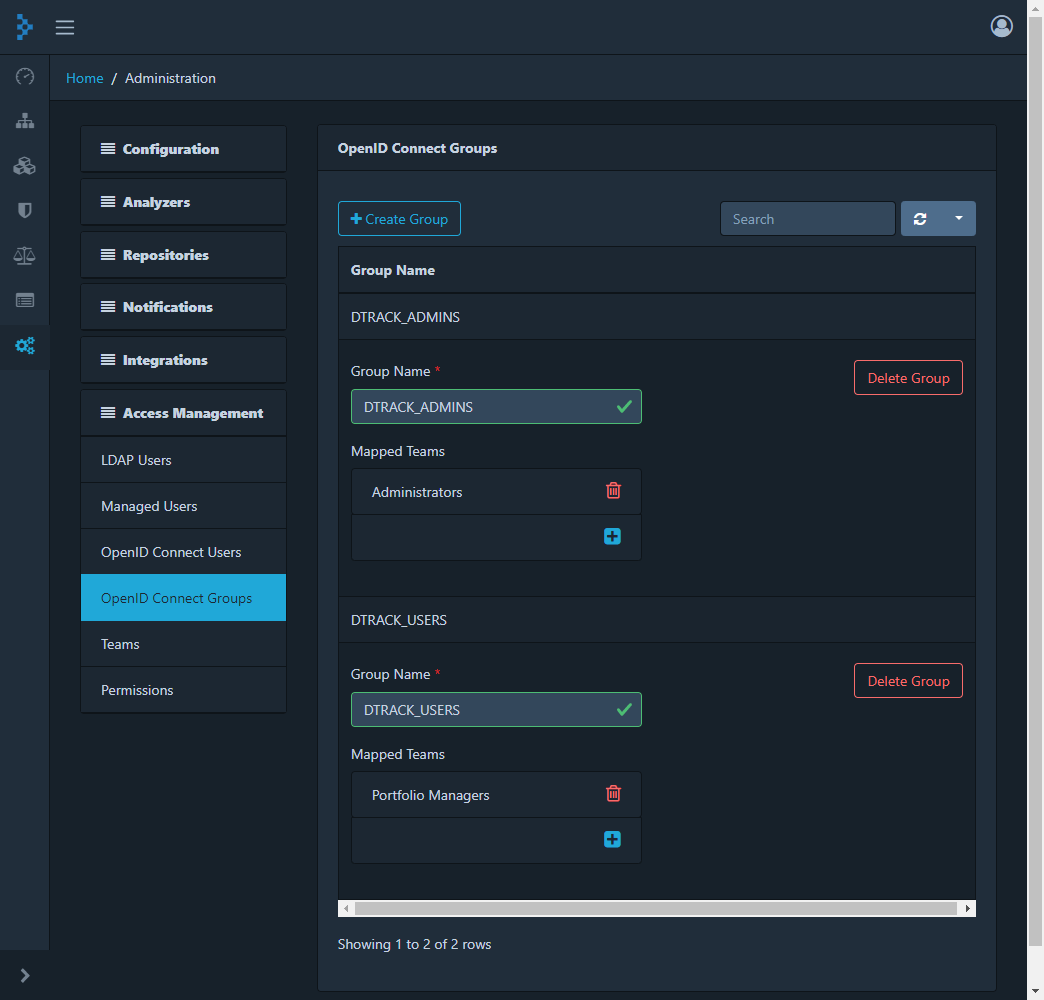
Navigate to Administration → Access Management → OpenID Connect Groups.
-
Create a group with the name matching the OIDC team claim configured in Keycloak.
-
Map this group to the corresponding team in Dependency-Track if it exists; otherwise, create the team in Dependency-Track first.
-
Configure the OIDC client in Keycloak as follows:
Keycloak Configuration
-
Create a client with Client ID
kbt-teamof type OpenID Connect. -
Set Valid Redirect URIs to
https://<domine_name>/static/oidc-callback.html*. -
Set Valid Post Logout Redirect URIs to
https://<domine_name>;. -
Add Web Origins
https://<domine_name>;. -
Create a client scope named
dtrack_userwith default settings. -
Configure a Mapper for Group Membership with Token Claim Name
groups, adding it to ID token and userinfo.-
Assign necessary Realm roles in Keycloak to control access to Dependency-Track.
-
Navigate back to Dependency-Track:
-
-
Ensure the groups created in Dependency-Track match exactly with those in Keycloak.
-
Link these groups to appropriate teams within Dependency-Track for access management.
Verifying Setup
-
Use the OpenID Connect button on Dependency-Track’s login page to authenticate using a Keycloak user belonging to one of the configured groups.
-
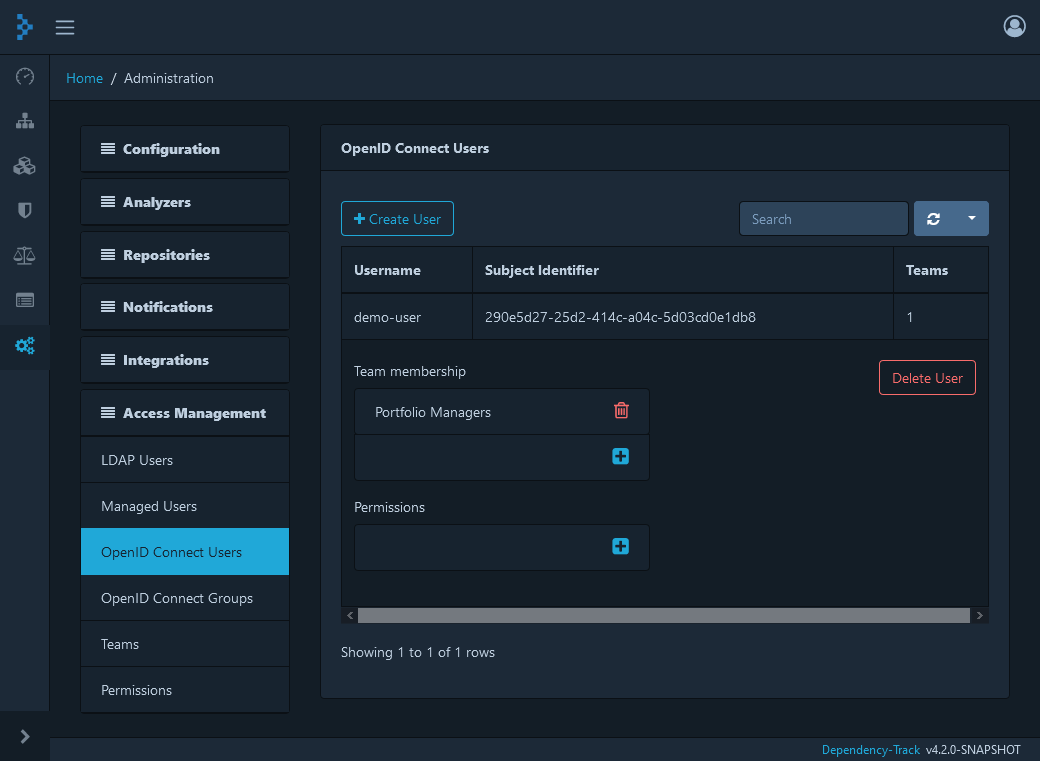
Verify that user provisioning and team synchronization are successful by navigating to Administration → Access Management → OpenID Connect Users in Dependency-Track.