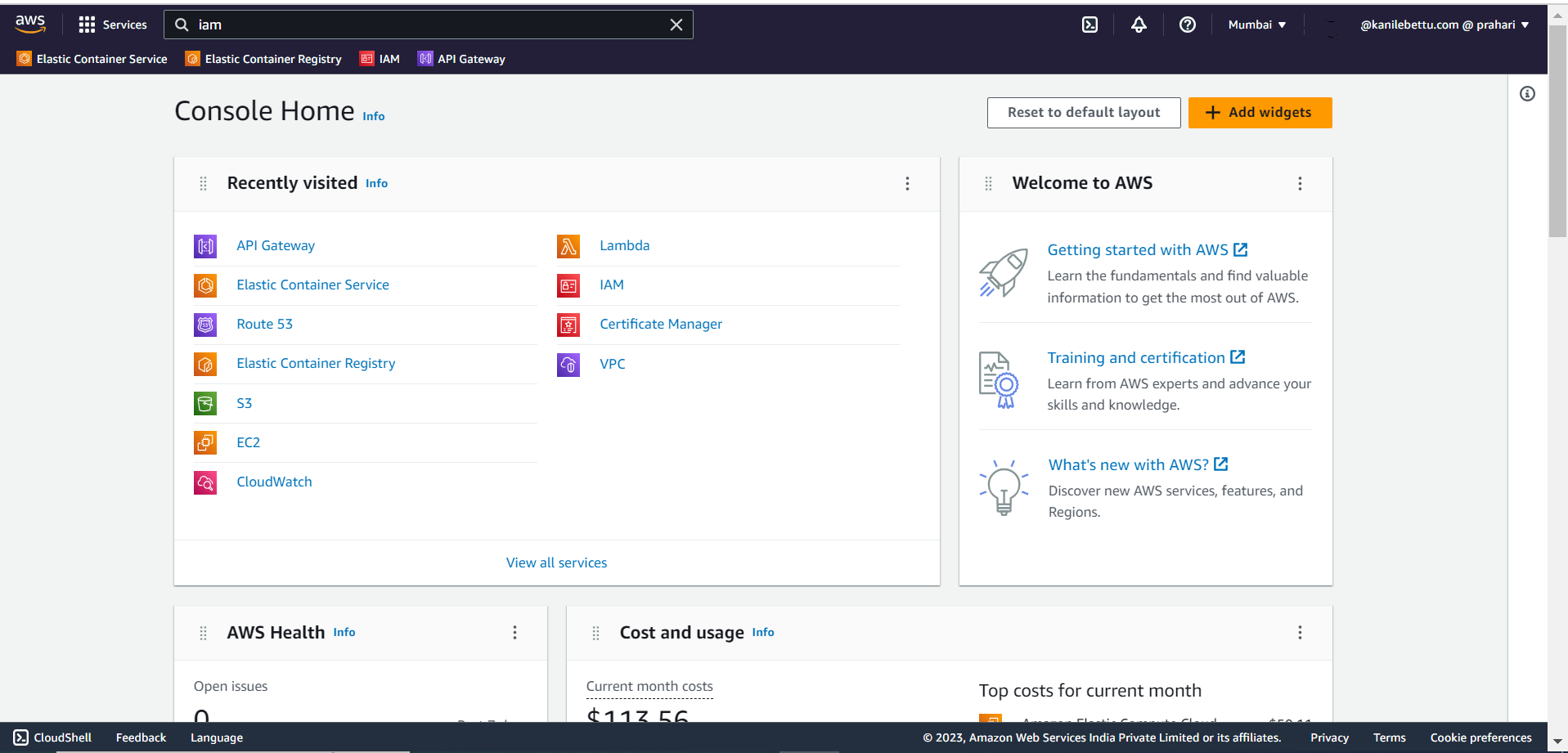
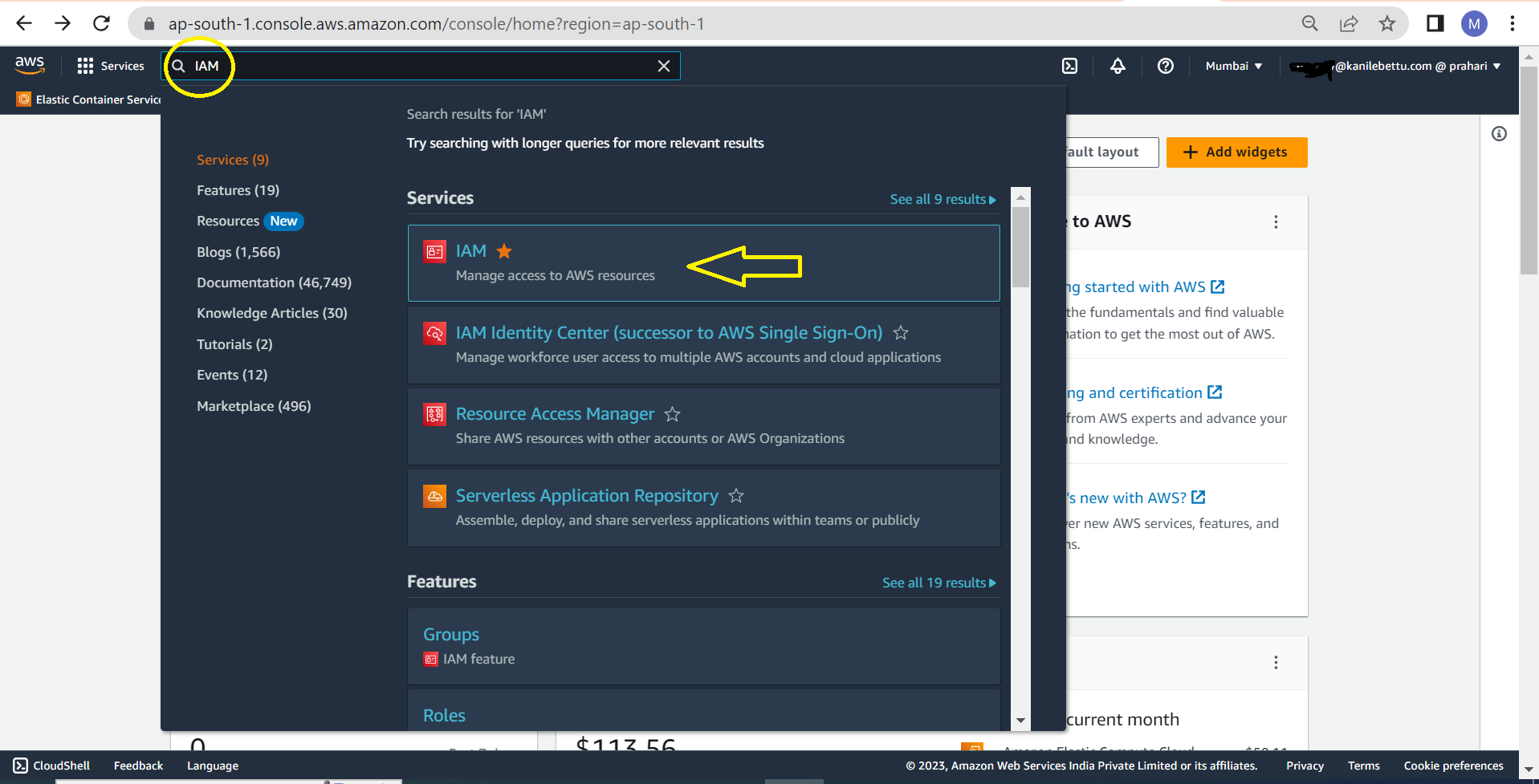
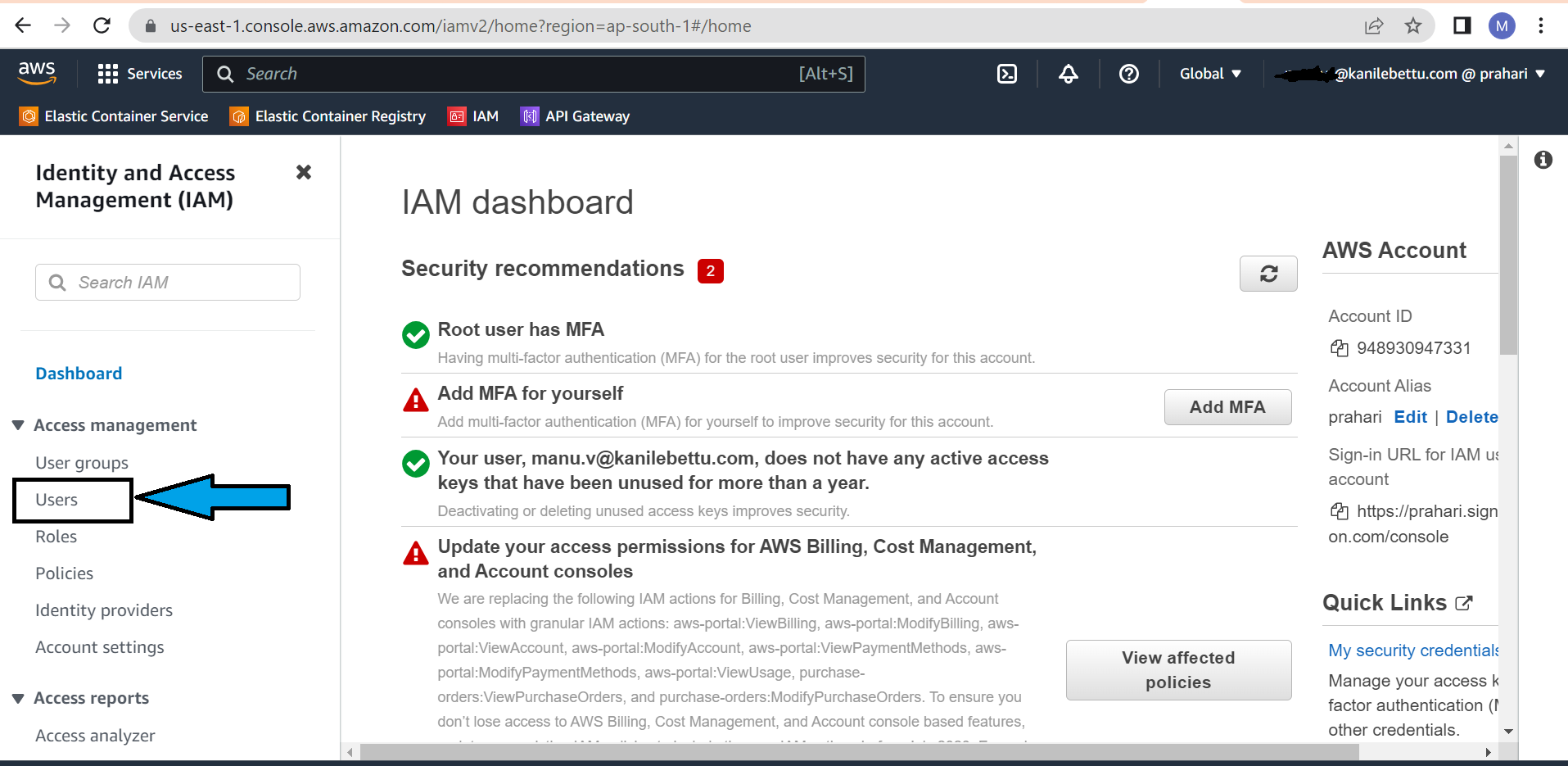
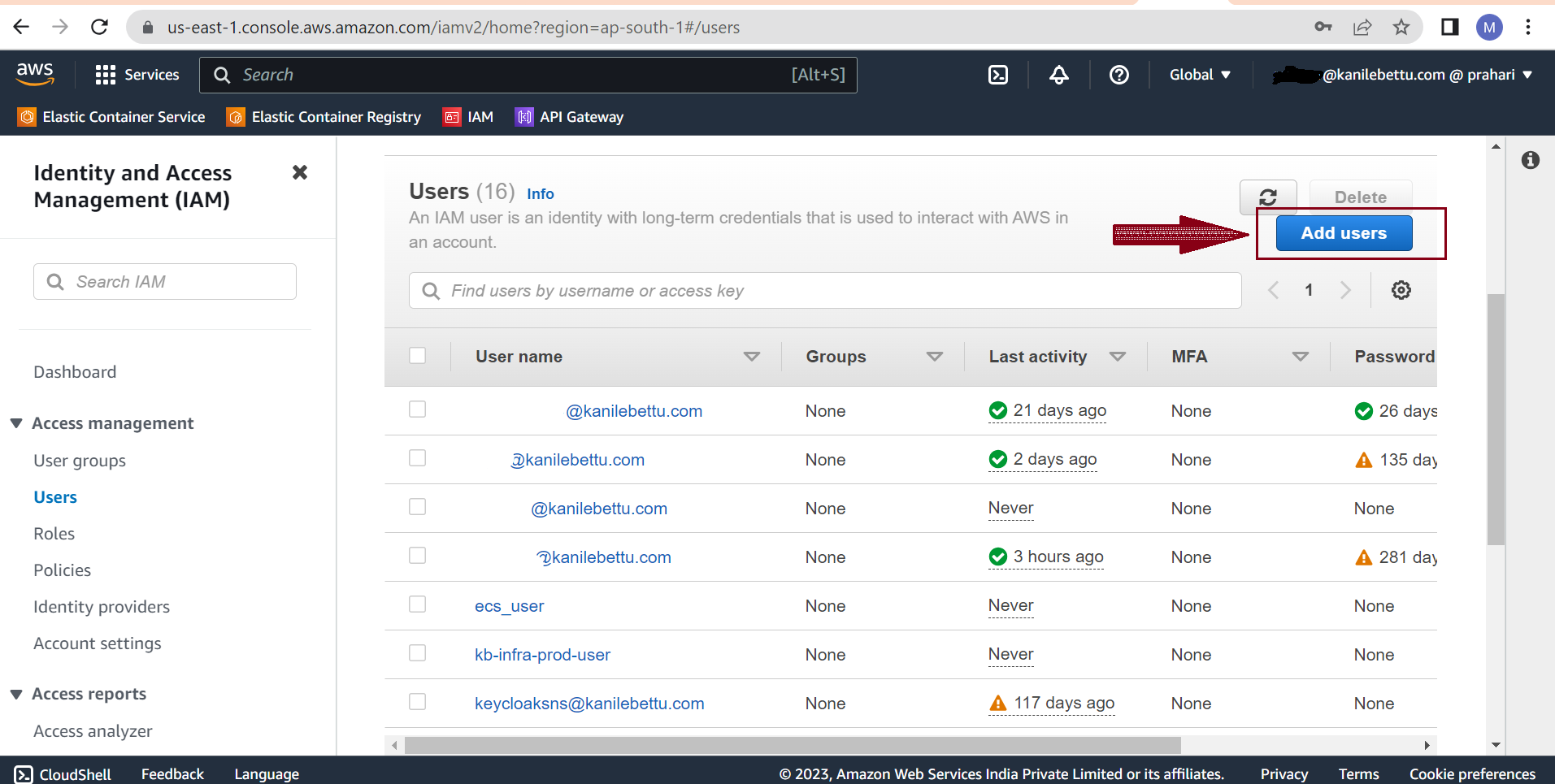
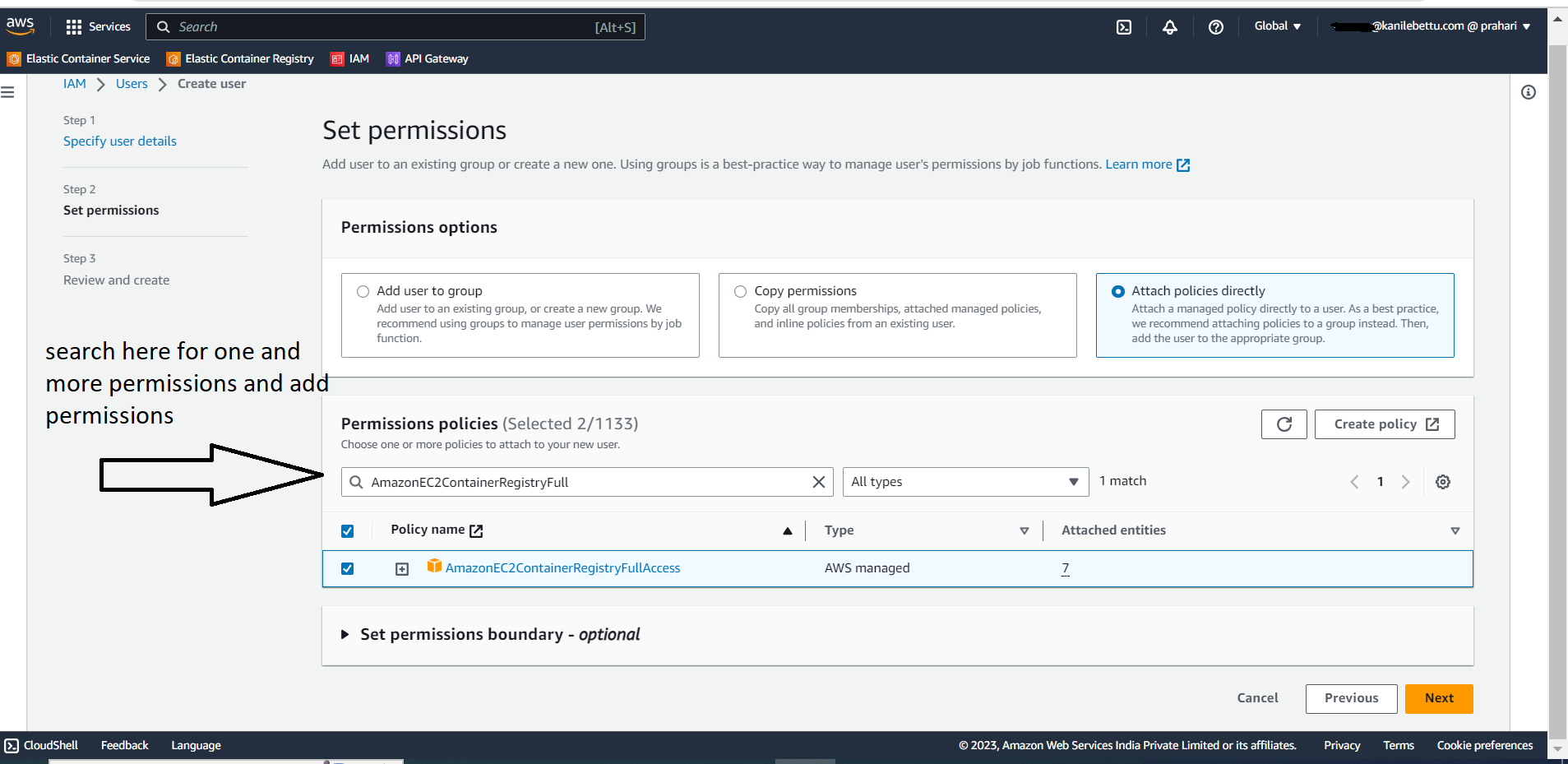
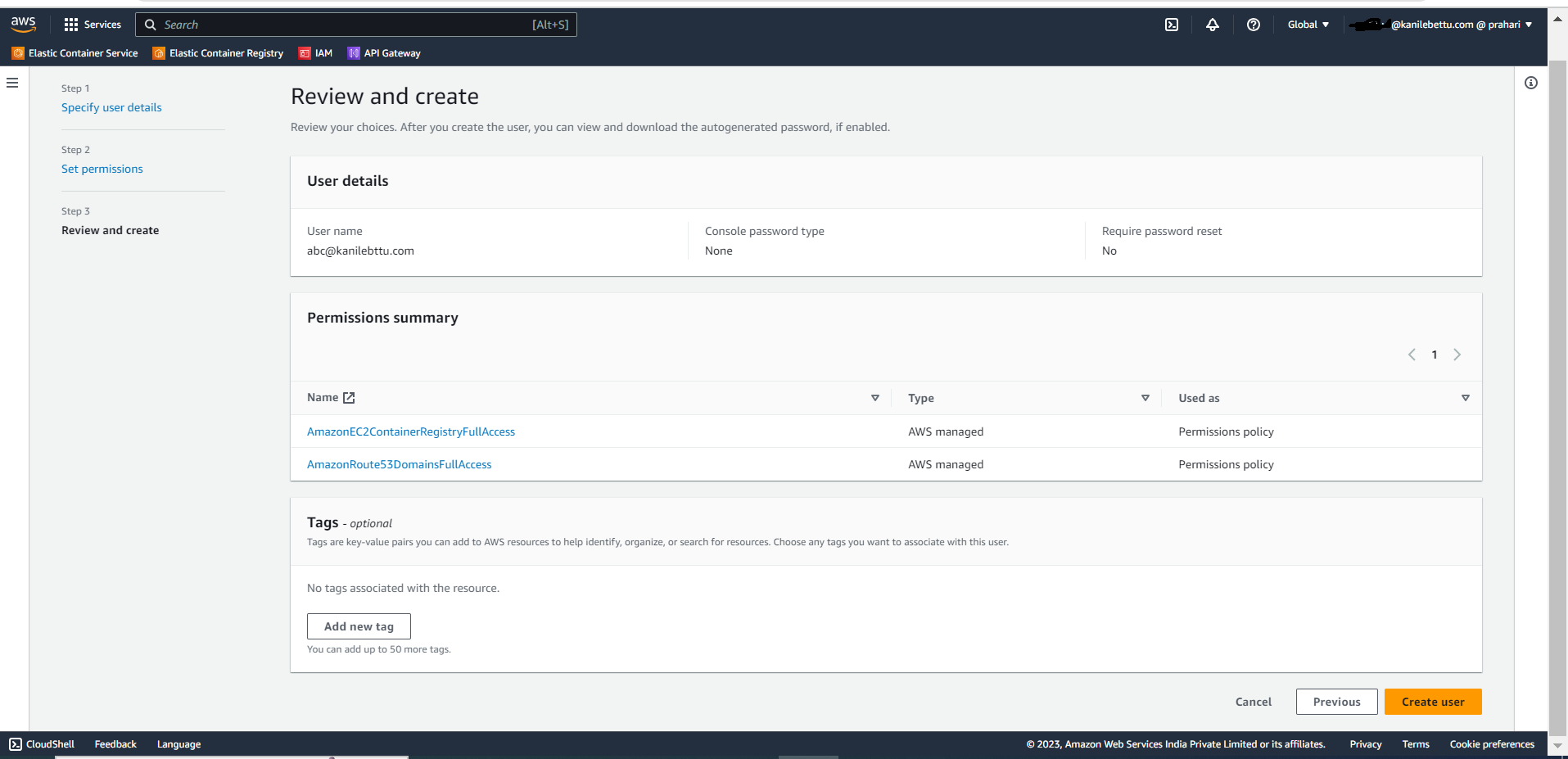
Create New AWS User using AWS console Step 1: Open AWS Management Console Open a web browser and go to the AWS Management Console. Step 2: Go to IAM Service Navigate to the IAM (Identity and Access Management) service. Step 3: Access Users In the IAM dashboard, click on "Users" in the left-hand menu. Step 4: Create or Select an IAM User Create a new IAM user by clicking the "Add user" button. Step 5: Set User Permissions Attach the necessary policies to the IAM user by selecting the desired permissions, such as AmazonEC2FullAccess and AmazonRoute53FullAccess. Step 6: Review and Create User Review the user details and the assigned permissions. Click the "Create user" button to create the user. Welcome Generating AWS Access Key and Secret Key