EKS Cluster and worker node setup on AWS console
Prerequisites
1. AWS account with Admin privileges.
2. Instances to manage/access EKS cluster using kubectl.
3. AWS CLI to use kubectl utility.
Creation IAM role for EKS cluster(master)
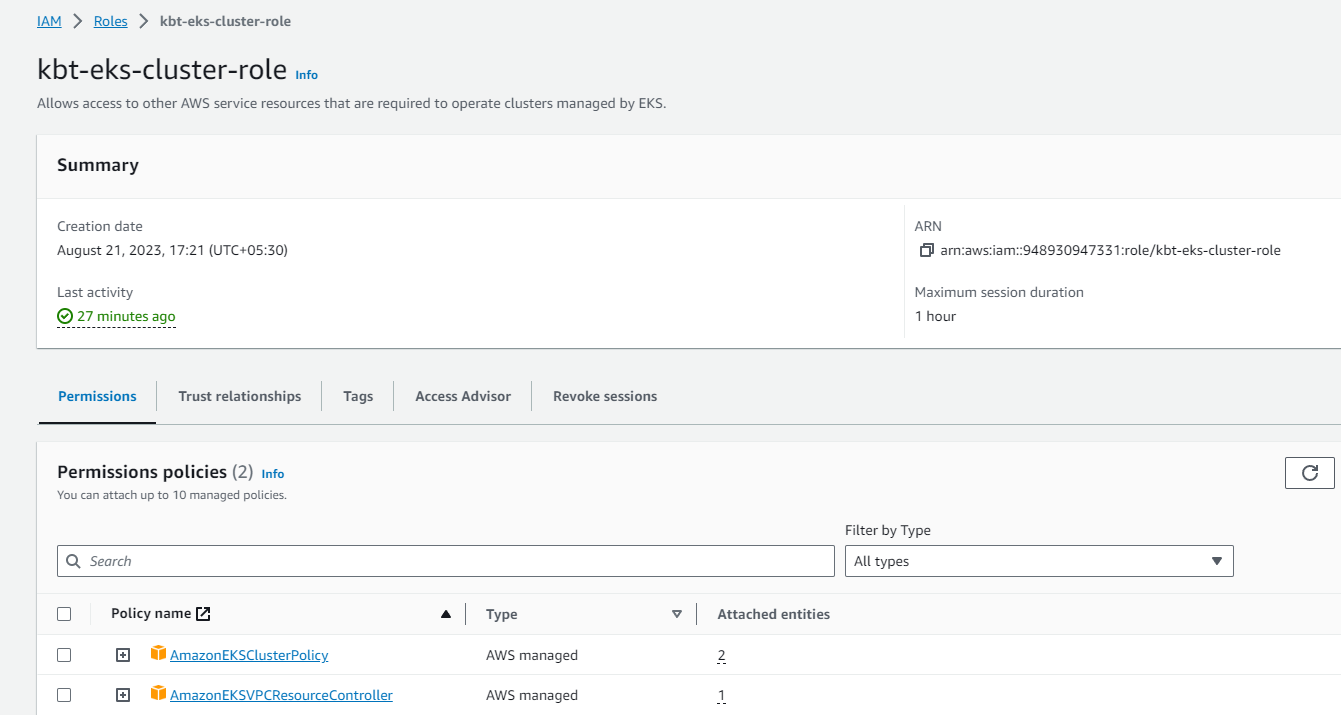
Login to the AWS console, navigate to IAM service(Identity and Access Management). Click on Create Roles → Usecase: EKS cluster (EKS) → Click on Next → Rolename: kbt-eks-cluster-role → Click on Create role.
Creation of EKS cluster
Navigate to EKS console , then click on create cluster, follow the below steps to create cluster(master).
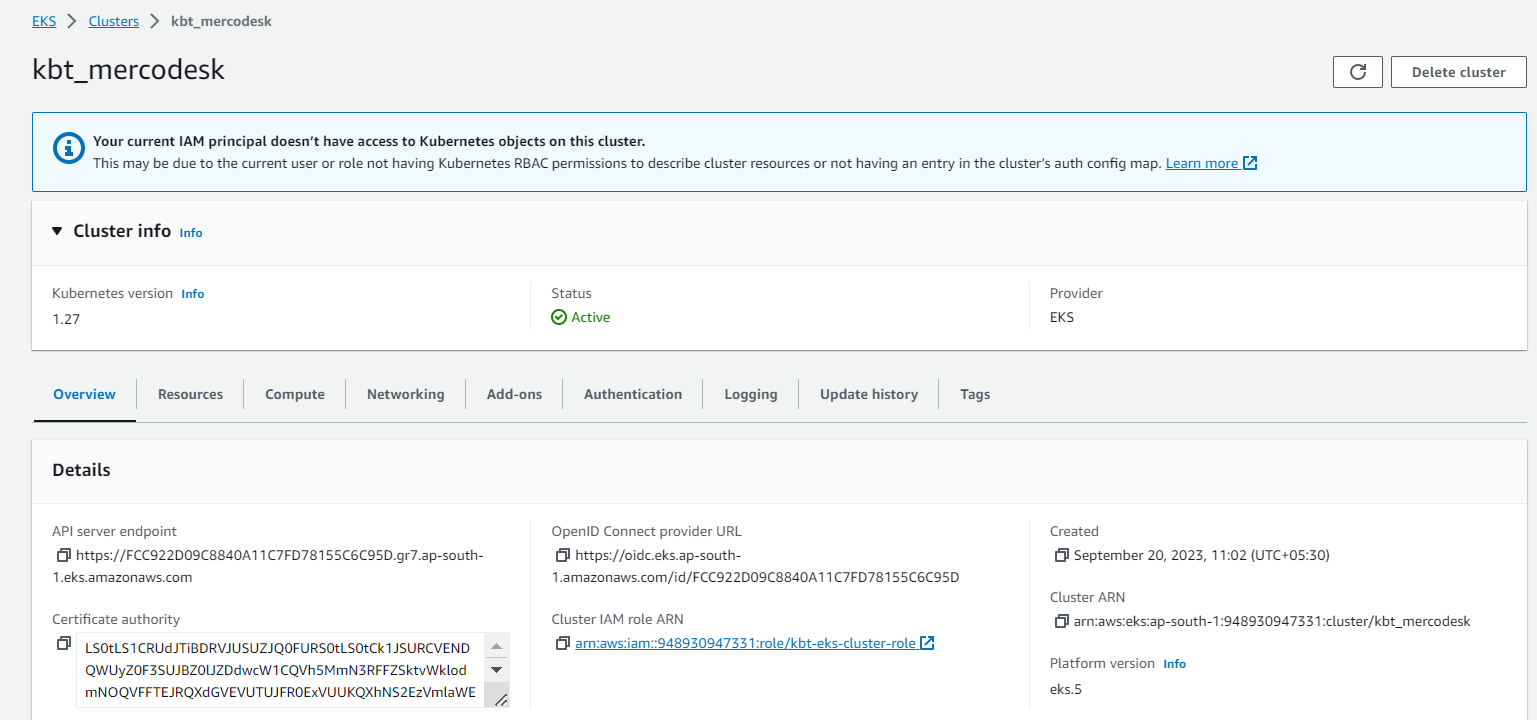
STEP 1: Configure cluster
Name                : kbt-mercodesk
Kubernetes version  : 1.27
Cluster service role: select the IAM role that is created on Step-1
STEP 2: Specify Networking
Select the VPC, subnets and the Security group for the cluster.
For the cluster endpoint, select Public & Private(based on the environment).
Click on Next.
STEP 3: Select add-ons
By default, CoreDNS, Kube-proxy and Amazon VPC CNI are enabled.
Click on Next and Create.
Creation of IAM role for EKS worker nodes
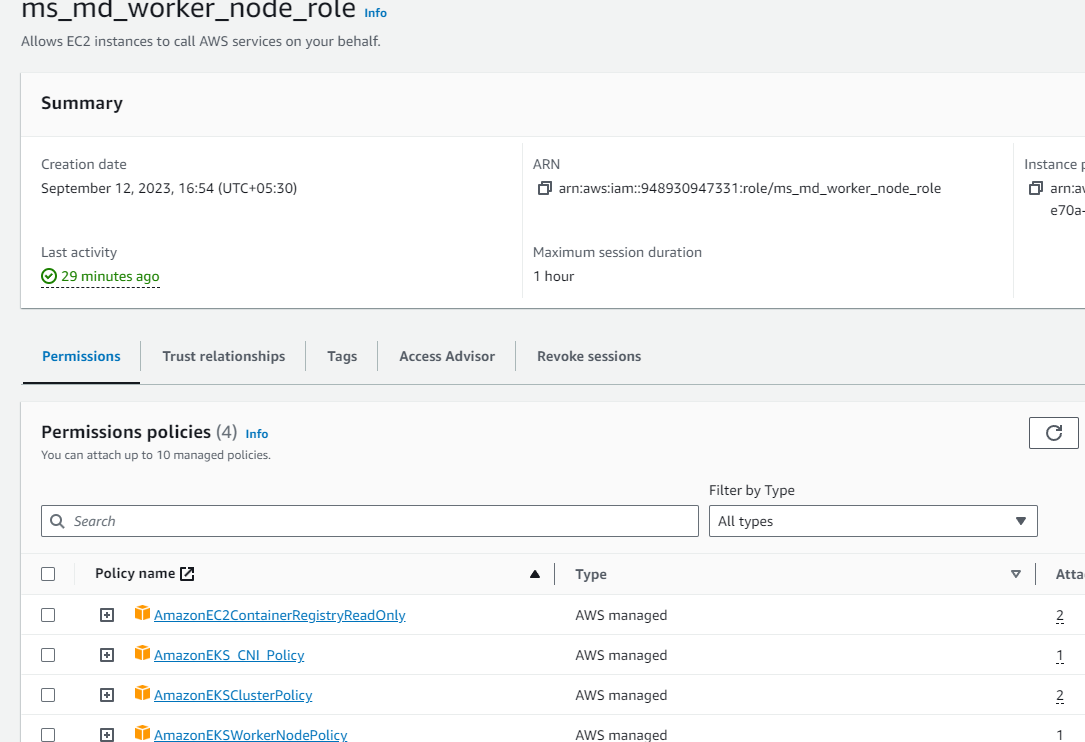
Navigate to IAM console, select use case as EC2. Give the role name as ms_md_worker_node_role and attach the policies mentioned below,
AmazonEC2ContainerRegistryReadOnly policy
Amazon_EKS_CNI policy
WorkerNodePolicy
Creation of worker nodes
To add worker node group to this cluster,
-
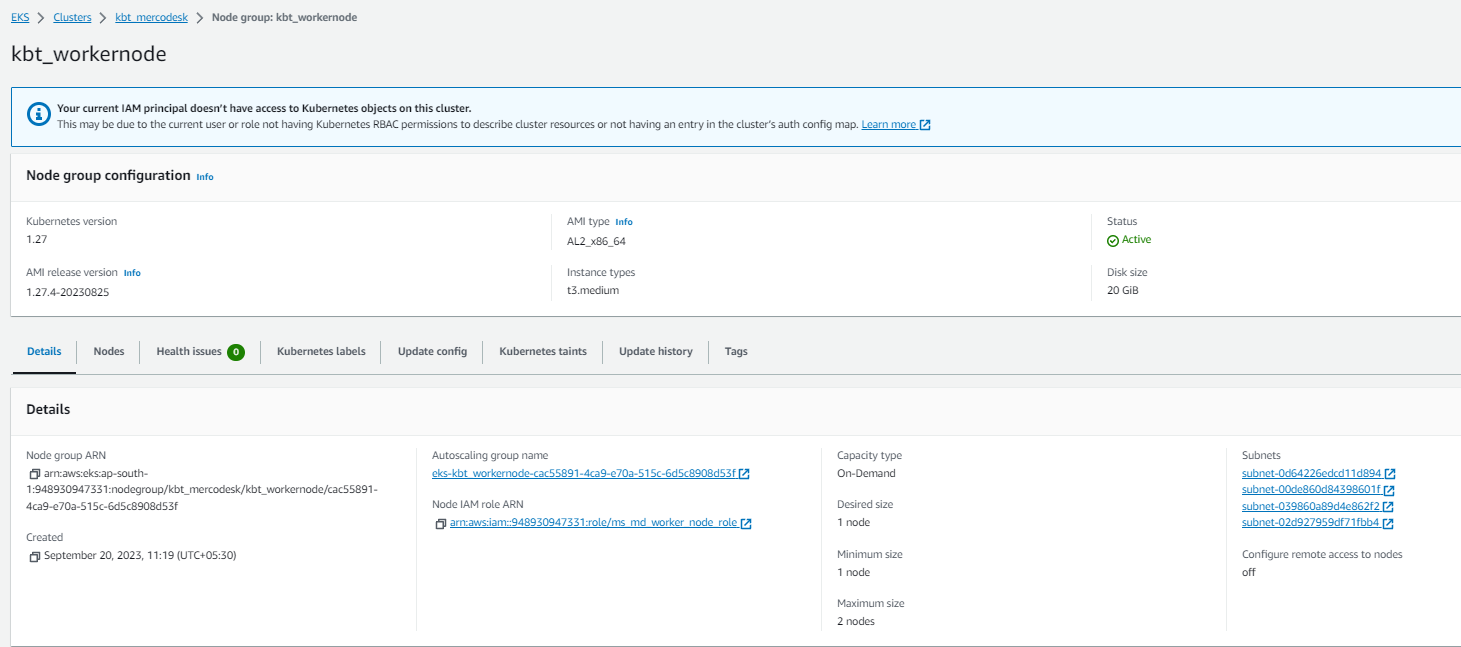
Navigate to EKS console , click on the cluster name that is created, then switch to the compute tab and click on Add node group.
-
Give Name: kbt_worker node and select the IAM role that is created on Step-3. Click Next.
-
For launch configuration give AMI type as Amazon Linux 2(ALU_x86_64), capacity type as On-demand and select the instance tye as t3.medium.
-
Under Node group scaling configuration, Select desired , min, max number of nodes required.
-
Select the subnets in VPC, where the nodes have to run.
Create an EC2 instance
Create one EC2 instance with t2.small type. This instance will talk to our EKS cluster created to place the pods SSH into this instance using the command,
ssh -i <keypair>@<instance_ip>
-
Install or update the latest version of the AWS CLI using aws Documentation.
-
Installing updating kubectl using aws Documentation.
-
Configure AWS CLI using root/ IAM user Access key and Secret key. (or) If you want to Generating AWS Access Key and Secret Key
-
Attach IAM role with required policies.