What is Istio?
At a high level, Istio helps reduce the complexity of these deployments, and eases the strain on your development teams. It is a completely open source service mesh that layers transparently onto existing distributed applications. It is also a platform, including APIs that let it integrate into any logging platform, or telemetry or policy system. Istio’s diverse feature set lets you successfully, and efficiently, run a distributed microservice architecture, and provides a uniform way to secure, connect, and monitor microservices.
What is a service mesh?
The term service mesh is used to describe the network of microservices that make up such applications and the interactions between them. As a service mesh grows in size and complexity, it can become harder to understand and manage. Its requirements can include discovery, load balancing, failure recovery, metrics, and monitoring. A service mesh also often has more complex operational requirements, like A/B testing, canary releases, rate limiting, access control, and end-to-end authentication.
Source: Istio.io
Setup Istioctl on Windows 11
step:01 (Download Istio)
-
Download the latest stable version of Istio for windows zip and extract the contents by unzipping the zip file.
step:02 (Set the environment variable)
-
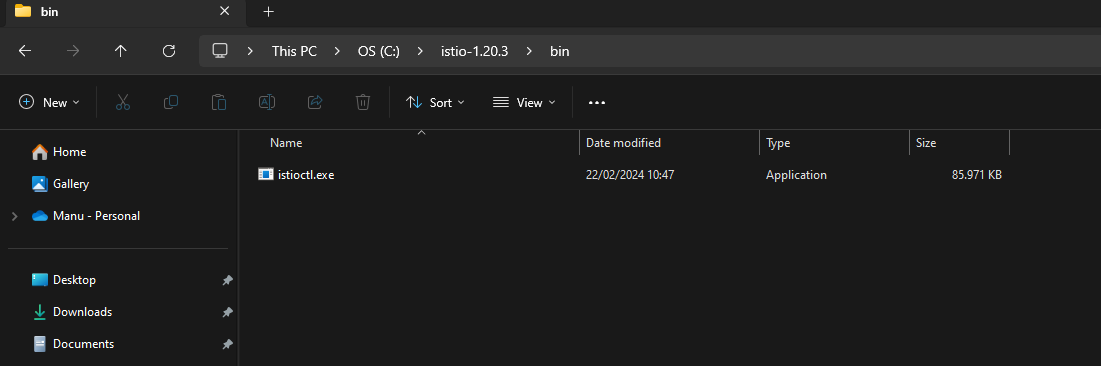
Copy the absolute path to the bin folder under the downloaded istio-<VERSION_NUMBER> folder e.g., C:\istio-1.20.3\bin
-
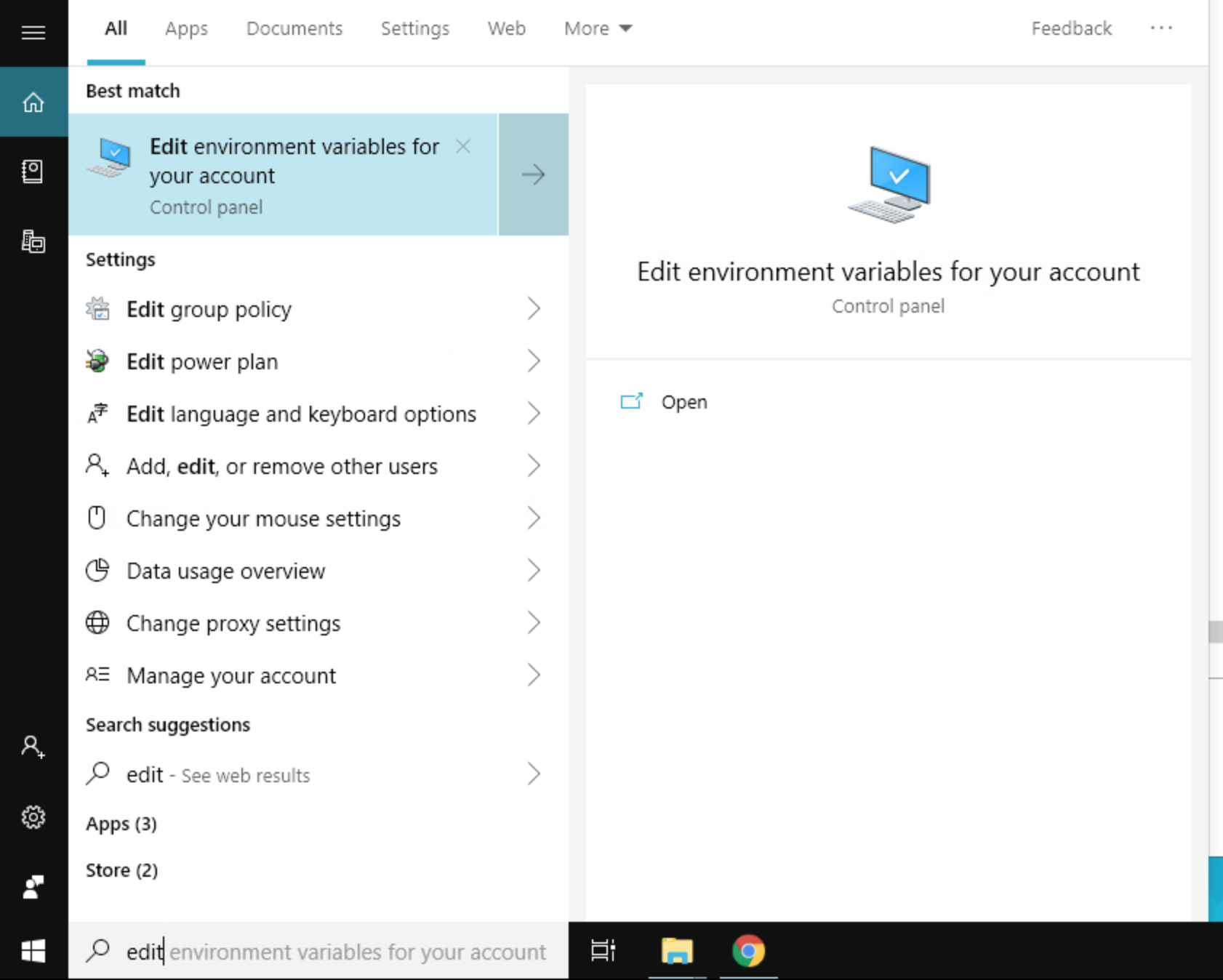
In the Search on the taskbar, look and open “Edit environment variables for your account”.
-
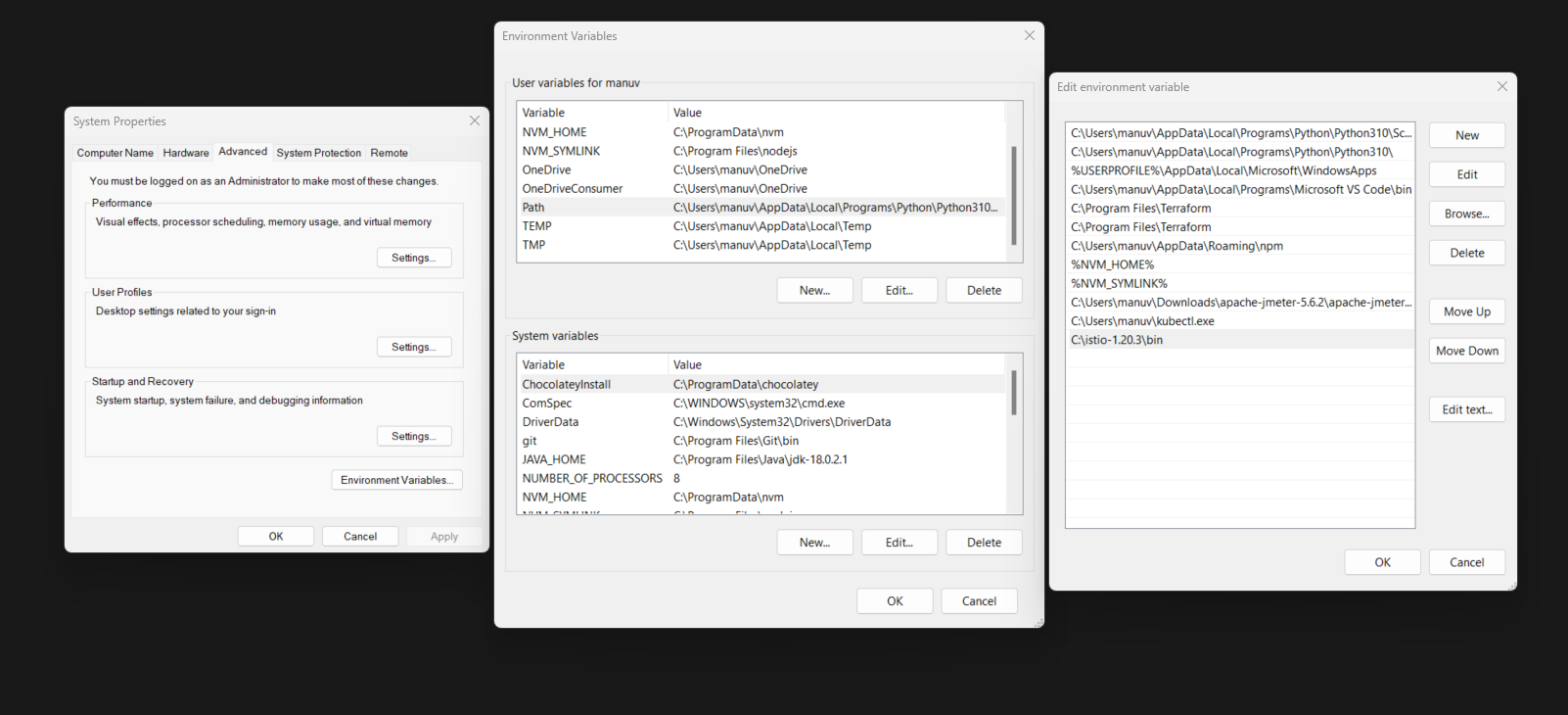
Under User variables, edit path environment variable and add a new entry pointing to the bin folder as copied above. Save the entries.