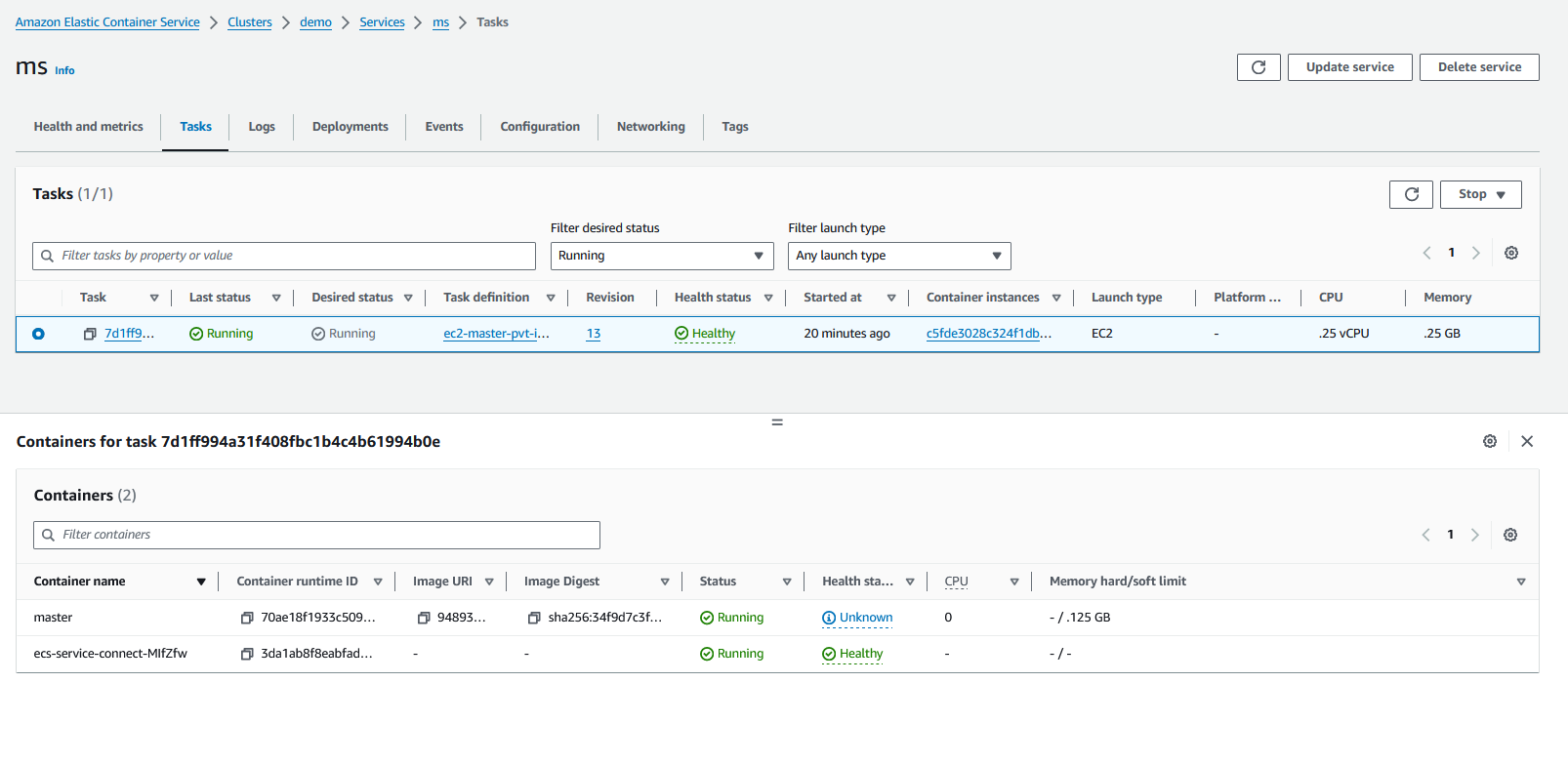
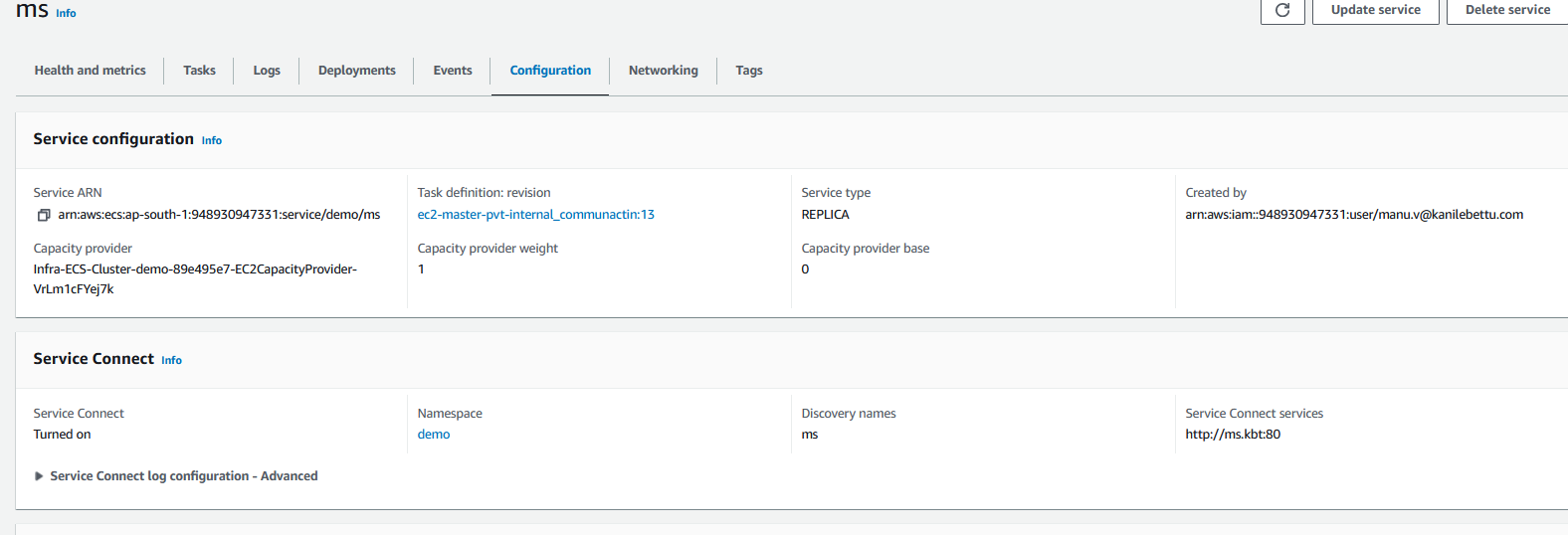
work flow of ECS Service Connect
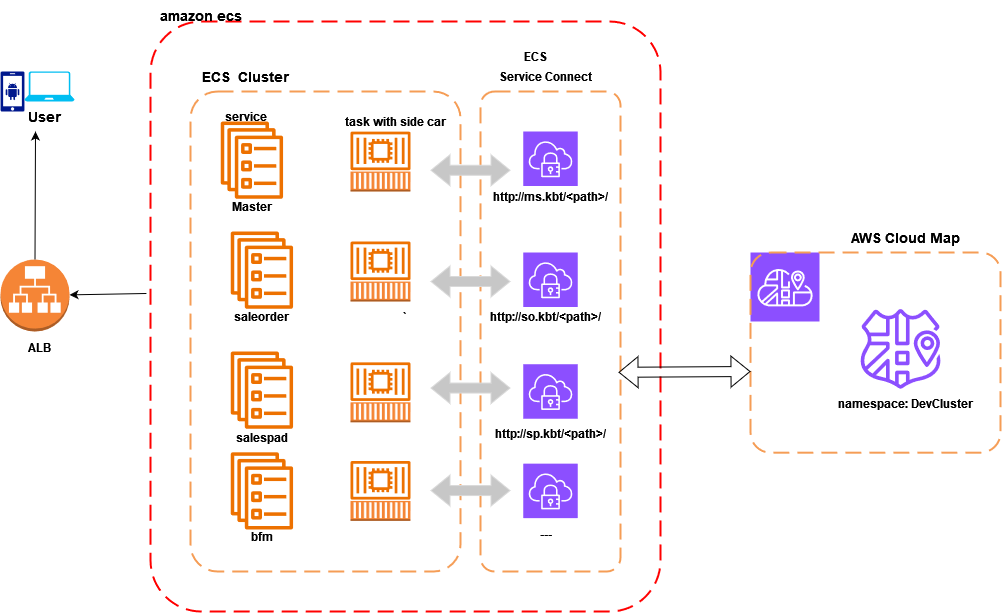
Pros and Cons
-
Each Amazon ECS service can belong to only one namespace.
-
Only the tasks that Amazon ECS services create are supported. Standalone tasks can’t be configured for Service Connect.
-
All endpoints must be unique within a namespace.
-
All discovery names must be unique within a namespace.
-
Service Connect doesn’t support HTTP 1.0.
-
Windows containers aren’t supported with Service Connect.
-
The ECS agent version on the container instance must be 1.67.2 or higher.
-
Container instances must run the Amazon ECS-optimized Amazon Linux 2023 AMI version 20230428 to use Service Connect.
-
External container instance for Amazon ECS Anywhere aren’t supported with Service Connect.
-
Only services that use rolling deployments are supported with Service Connect. Services that use the blue/green and external deployment types aren’t supported.
-
Task definitions must set the task memory limit to use Service Connect. For more information, see official documentation Service Connect proxy.
-
You can configure Service Connect in a service to use any AWS Cloud Map namespace in the same AWS Region in the same AWS account.
-
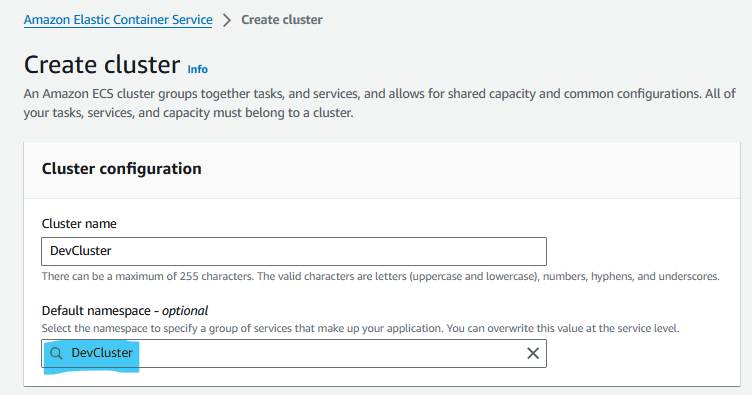
You can create a namespace when creating a new cluster. Amazon ECS Service Connect doesn’t delete namespaces when clusters are deleted. You must delete namespaces directly in AWS Cloud Map if you are done using them.
Step 1: Create a Service connect Namespace
-
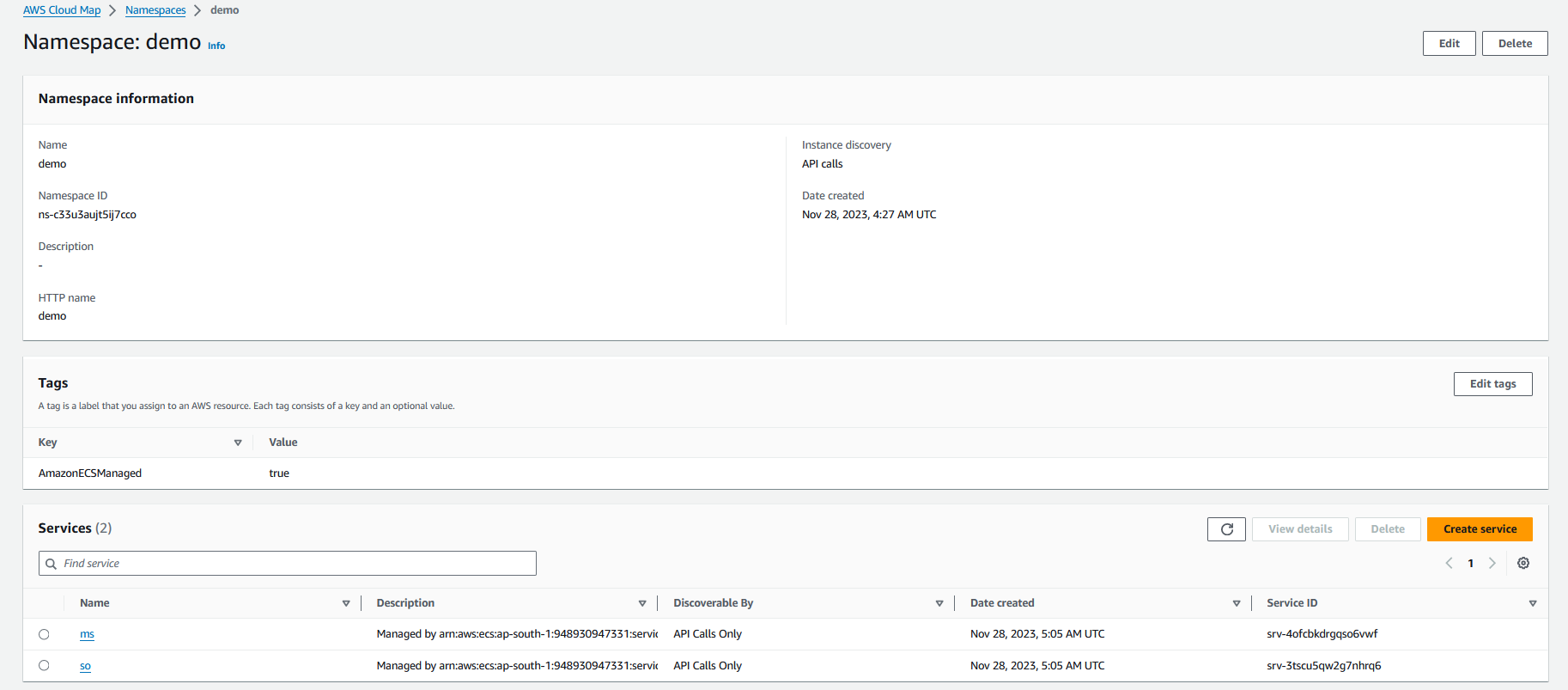
Create an ECS cluster with a AWS Cloud Map namespace or create the namespace separately.
-
Every AWS Cloud Map namespace in this AWS account in the selected AWS Region is displayed in the Namespaces in the Amazon ECS console.
-
To delete a namespace, use the AWS Cloud Map console. A namespace must be empty before it can be deleted.
| Amazon Amazon ECS Service Connect creates AWS Cloud Map services in your account. Modifying these AWS Cloud Map resources by manually registering/deregistering instances, changing instance attributes, or deleting a service may lead to unexpected behaviour for your application traffic or subsequent deployments. |
Step 2: Update ECS Task Definitions
-
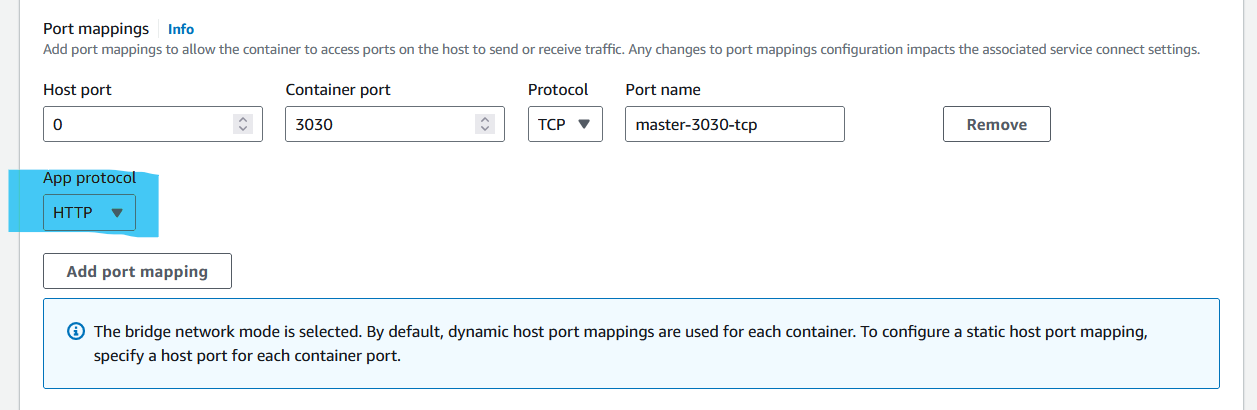
To create a new Amazon ECS task definition, or register a new revision to an existing task definition and use Service Connect.
-
Add port names to the port mappings in your task definitions.
Step 3: Enable Service connect
-
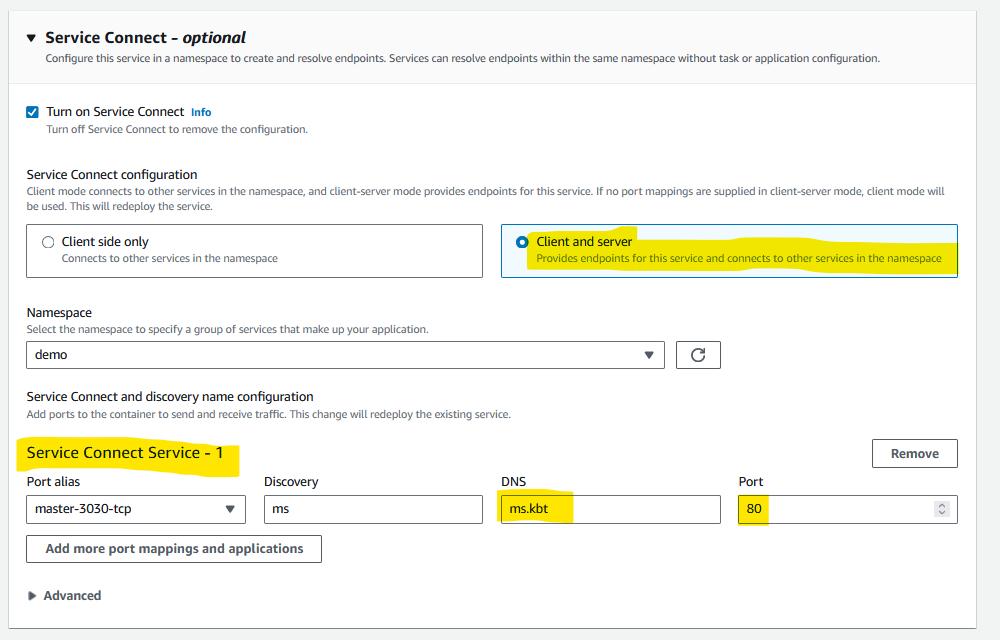
client side only act as client, it will only accept request
-
client and server act as both, it send to request other services and accept request from other service.
-
Define Discovery name and DNS name with port form internal communication
Step 4: Update ECS Service
-
Configure services to create Service Connect endpoints within the namespace
-
Deploy services to create the endpoints. Amazon ECS adds a Service Connect proxy container to each task, and creates the Service Connect endpoints in AWS Cloud Map. This container isn’t configured in the task definition, and the task definition can be reused without modification to create multiple services in the same namespace or in multiple namespaces.
-
Deploy client apps as services to connect to the endpoints. Amazon ECS connects them to the Service Connect endpoints through the Service Connect proxy in each task.
-
Monitor traffic through the Service Connect proxy in Amazon CloudWatch.