AWS cost allocation tags
A tag is a label that you or AWS assigns to an AWS resource. Each tag consists of a key and a value. For each resource, each tag key must be unique, and each tag key can have only one value. You can use tags to organize your resources, and cost allocation tags to track your AWS costs on a detailed level. After you activate cost allocation tags, AWS uses the cost allocation tags to organize your resource costs on your cost allocation report, to make it easier for you to categorize and track your AWS costs.
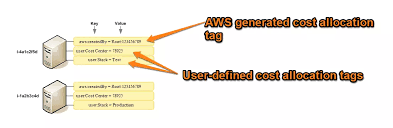
AWS provides two types of cost allocation tags, an AWS-generated tags and user-defined tags.
ex:
-
As a best practice, don’t include sensitive information in tags.
-
Applying and activating
user-defined tagsAll tags can take up to 24 hours to appear in the Billing and Cost Management console.
Prerequisites
-
To view these dates in the Cost allocation tags page of the AWS Billing and Cost Management console, you must have the ce:ListCostAllocationTags permission.
Step 1:
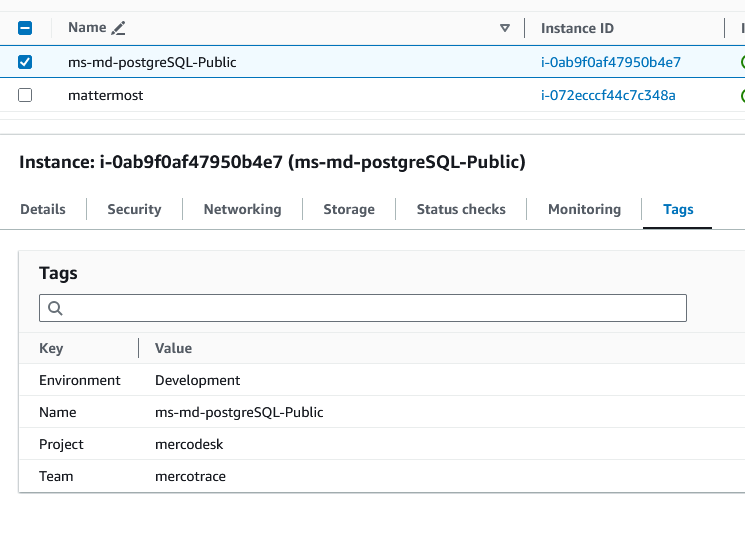
Creating resources need to allocate tag based on project and environment has shown in below fig.
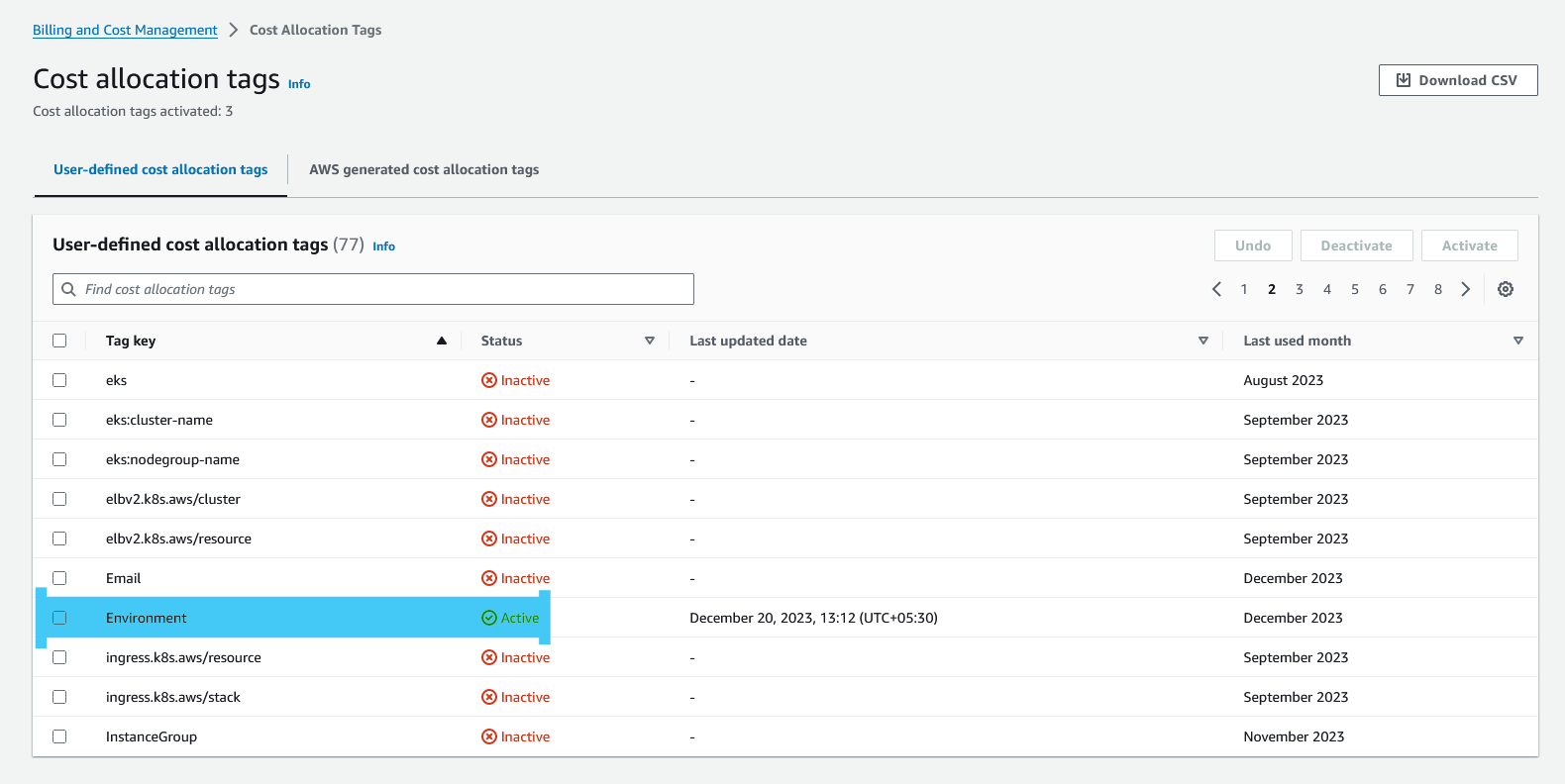
To activate the User-defined tags
-
Sign in to the AWS Management Console and open the AWS Billing and Cost Management console at aws console link to sign in
-
In the navigation pane, choose Cost allocation tags.
-
Under User-defined cost allocation tags, choose the created tag with key.
-
Choose Activate. It can take up to 24 hours for tags to activate, and appear in the Billing and Cost Management console.
Analyzing your costs with AWS Cost Explorer using cost allocation tags
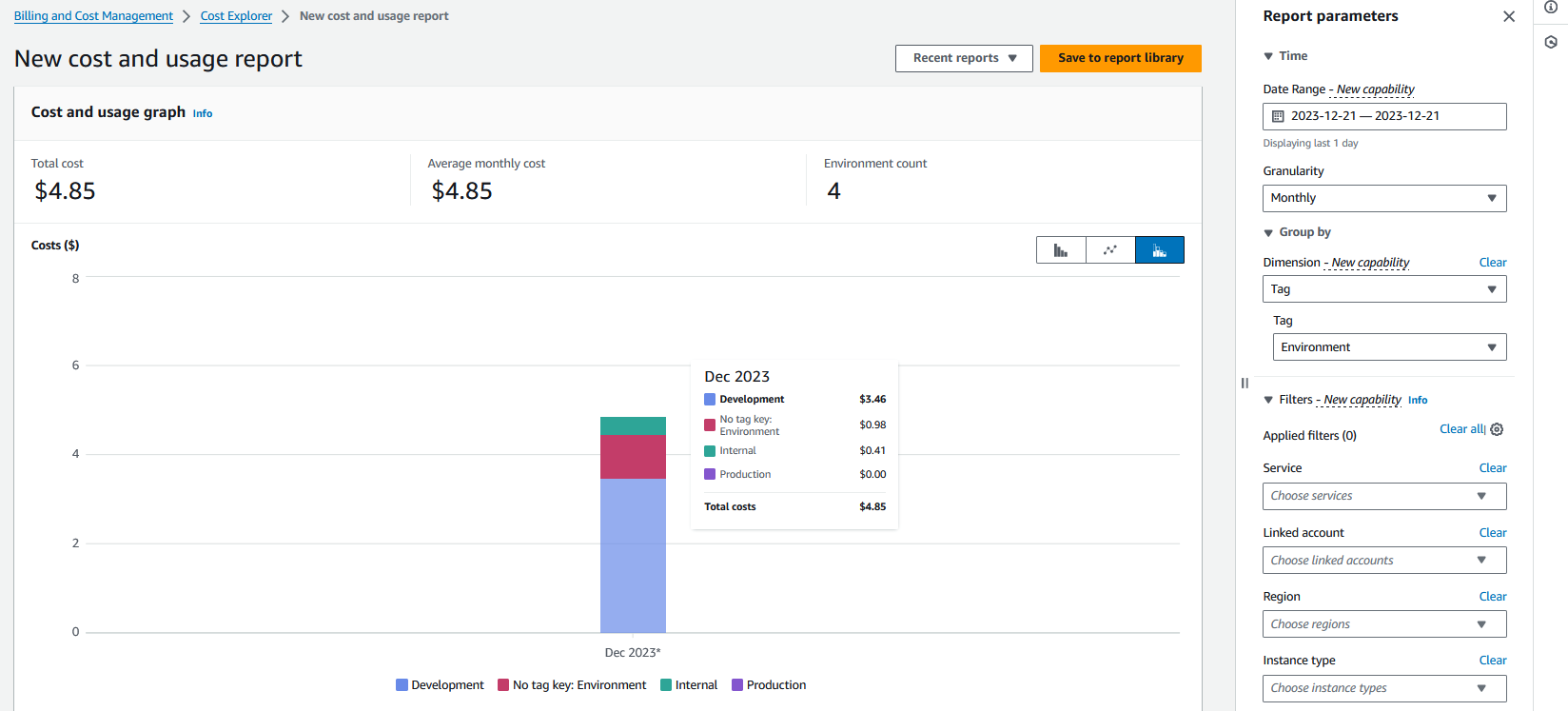
AWS Cost Explorer is a tool that enables you to view and analyze your costs and usage. You can explore your usage and costs using the main graph, the Cost Explorer cost and usage reports.
EX: Based on tag `Key = Environment `
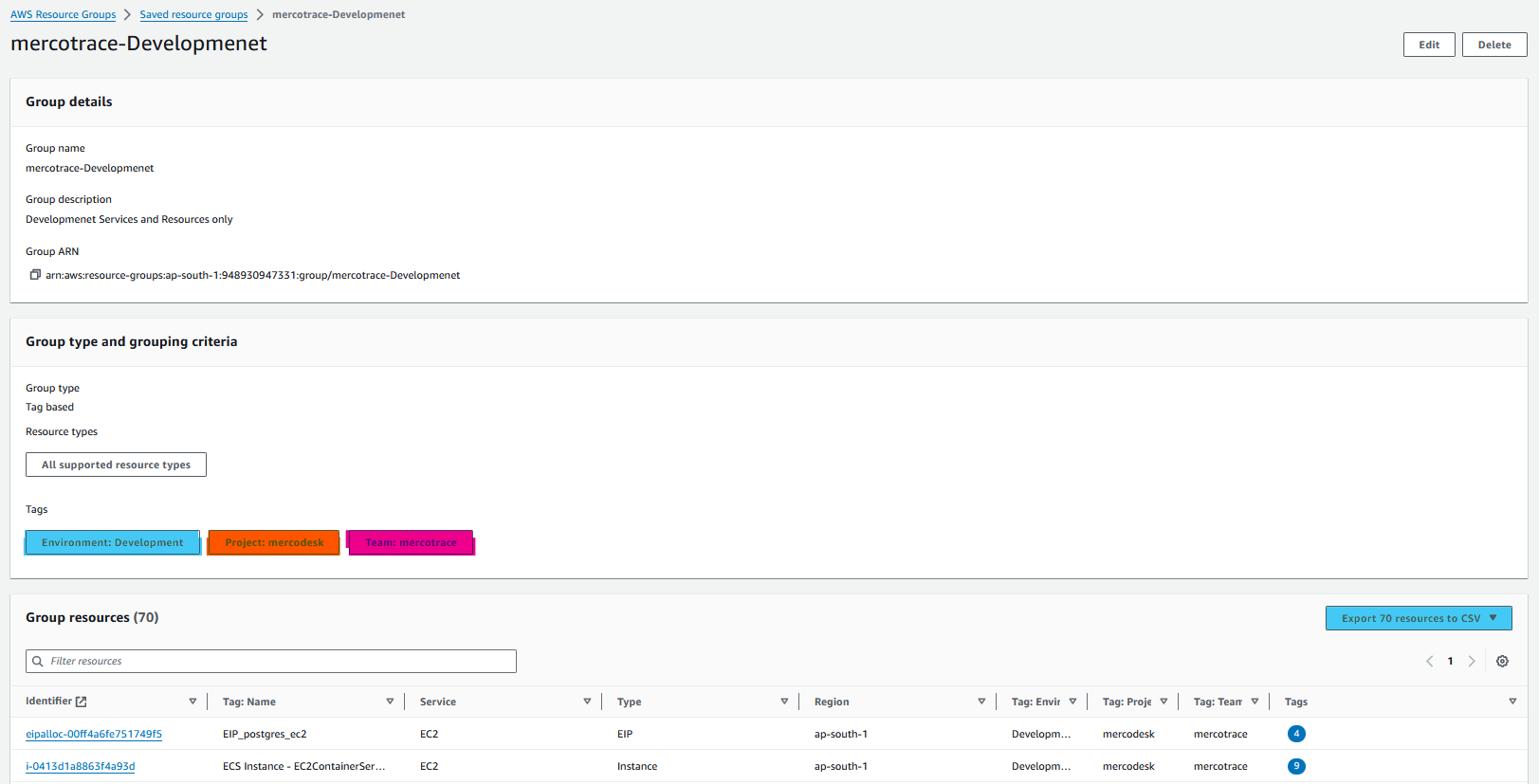
Resource Groups
Benefits and features
-
Find AWS resources that share tags or that are in a CloudFormation stack, and create and manage logical groups of resources.
-
Now you can edit existing tag values or remove them directly on the Find resources page without having to open up a separate page using
Tag Editor. -
View group-specific insights from AWS Config and AWS CloudTrail.