BASICS OF GIT
-
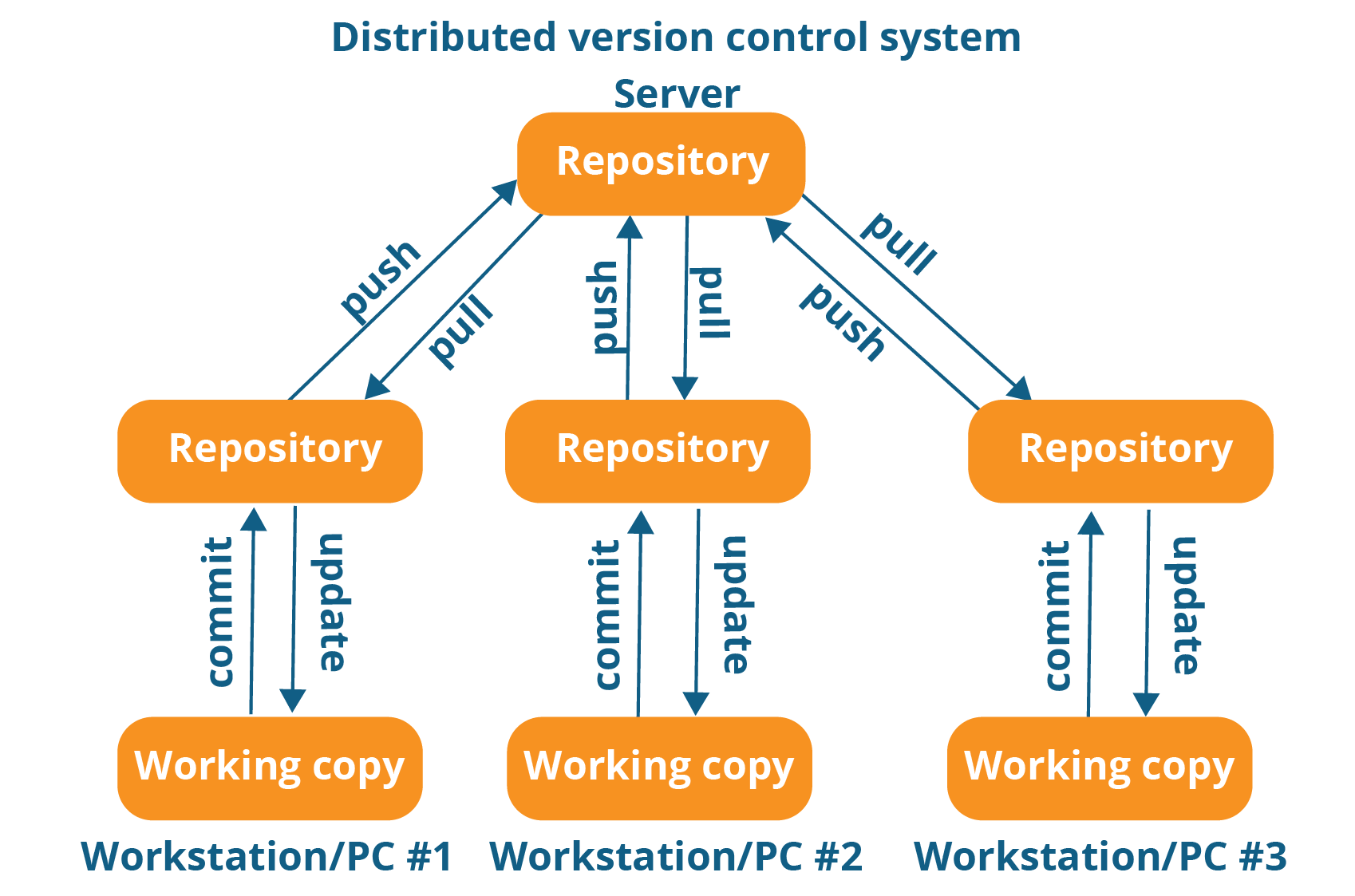
Git is free and open source software for distributed version control:
tracking changes in any set of files,
usually used for coordinating work among programmers collaboratively developing source code during software development.
| Commands | Definition | Example |
|---|---|---|
pwd |
present working directory |
pwd → output /root |
ls |
list all the files in directory |
ls → output a.txt, b.txt, c.txt |
cat |
append data to the file |
cat > my.txt |
mkdir |
Creates a folder/directory |
mkdir sub → create folder with a name sub |
cp src dest |
copying the data from one file to another |
cp my.txt own.txt |
mv src dest |
moving or renaming the file |
mv my.txt own.txt |
rm filename |
removing the file specified |
rm my.txt |
vi filename |
creates file in vi editor mode |
vi myfile.txt → Esc : wq! saves and quit the editor |
touch filename |
used to create a file. It can be anything, from an empty txt file to an empty zip file. |
touch a.txt |
man |
Gives the manual to the command. To know more about a command and how to use it. |
man cd |
locate |
The locate command is used to locate a file in a Linux system, just like the search command in Windows. |
locate -i hello (list all the files containing hello word) |
echo |
The "echo" command helps us move some data, usually text into a file. |
echo hello, my name is abc >> new.txt |
cat |
used to display the contents of file |
cat new.txt |
sudo |
sudo stands for "SuperUser Do". Any command to be done with administrative or root privileges |
sudo -i |
df |
df command to see the available disk space in each of the partitions in your system. |
df -m (shows in megabytes) |
du |
To know the disk usage of a file in your system. |
du Documents |
chmod |
Use chmod to make a file executable and to change the permissions granted |
chmod 777 new.txt |
ping |
Ping is a computer network administration software utility used to test the reachability of a host on an Internet Protocol (IP) network. |
ping google.com |