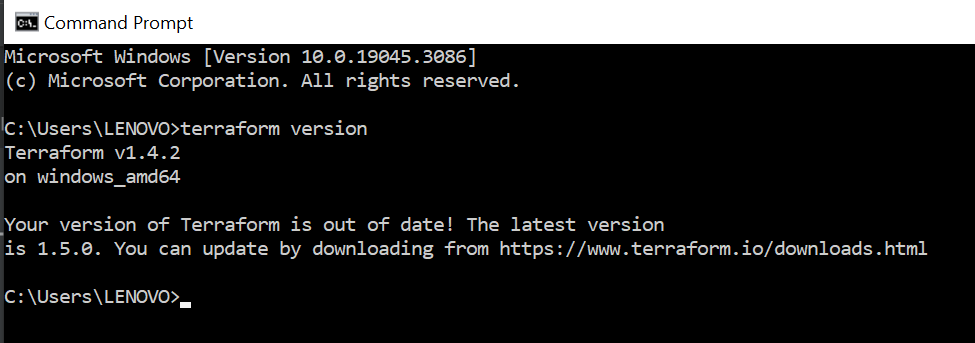
Installing Terraform on Windows
If you are installing Terraform on Windows, you can follow these steps to ensure a successful installation:
Step 1: Download the Installation File
-
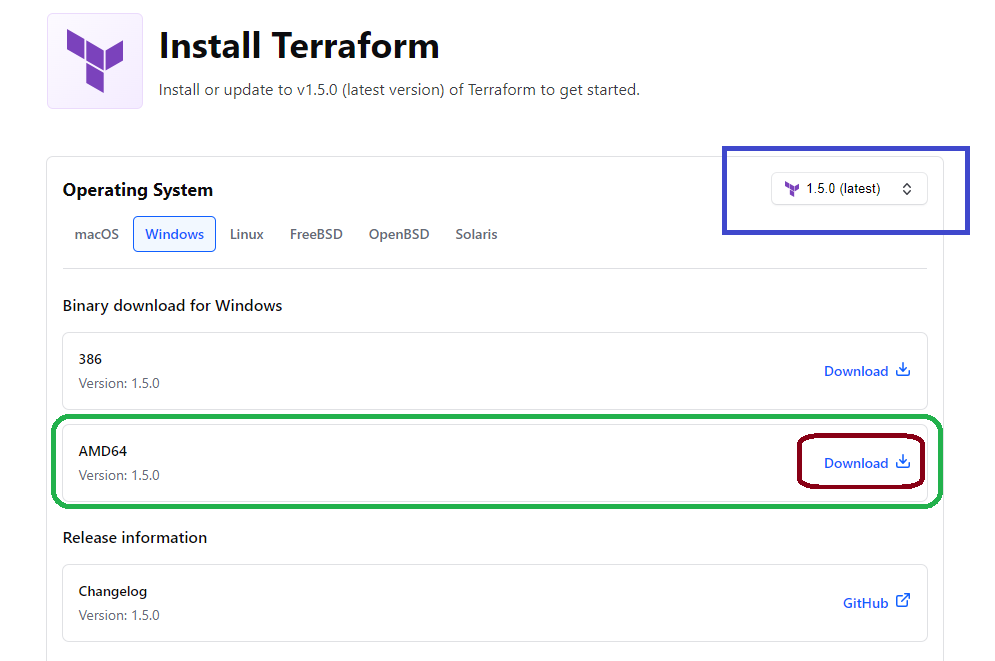
Navigate to the Terraform download page at https://www.terraform.io/downloads.html.
-
Look for the Windows section and download the (AMD64)version of Terraform. For example, you can download version 1.4.2 or Latest verasion. show in below fig.
-
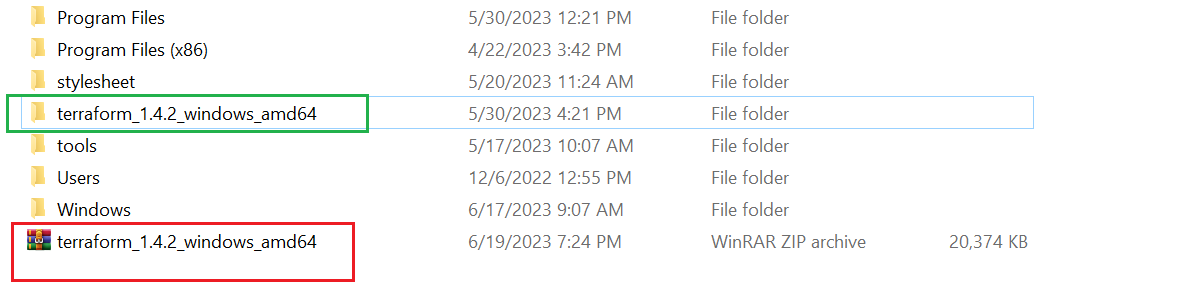
It will download a zip file. Unzip the file to extract the .exe file. Copy to C drive, such as
C:/terraform_1.4.2_windows_amd64.exe
Step 2: Update the Path Environment Variable
-
Open the Start menu and search for "Environment variables".
-
Open the "Environment variables" settings page.
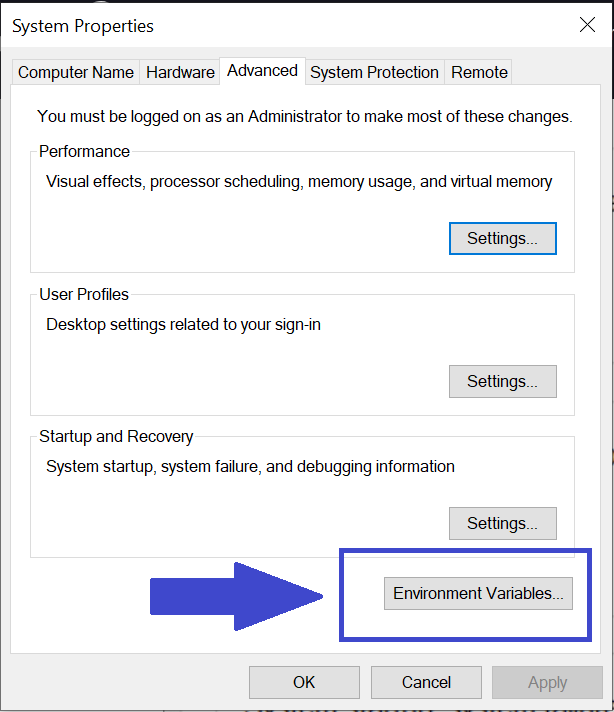
3.In the "Environment Variables" window, locate the "Path" variable under the "System variables" section and click "New".
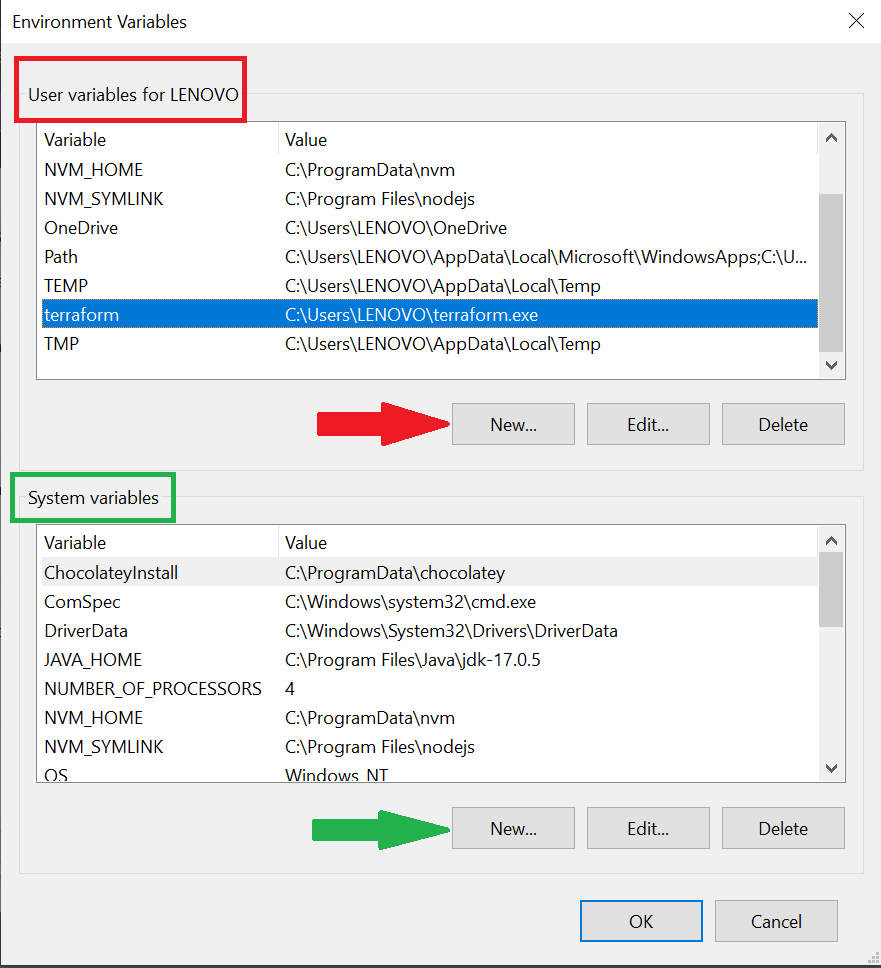
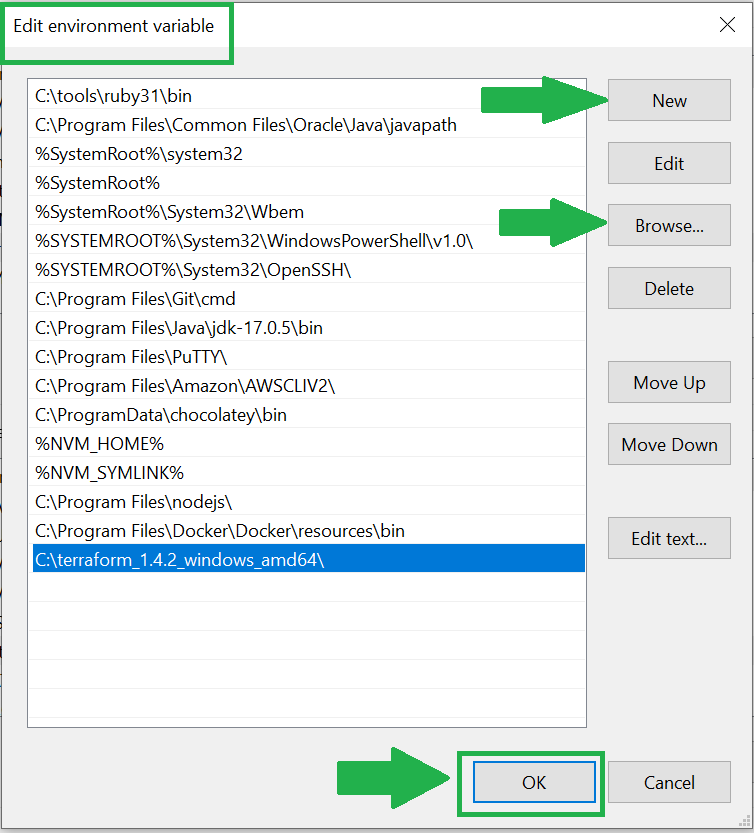
4.In the "Edit Environment Variable" window, click "New" and add the path to the Terraform download folder. In this case, it is C:\Users\LENOVO\terraform.exe.
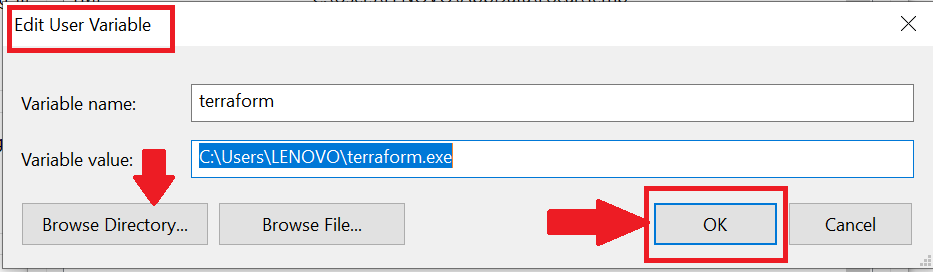
5.Click "OK" to save the changes.