Configuring the S3 Bucket for Static Website Hosting
Step 2: Setting up an S3 Bucket
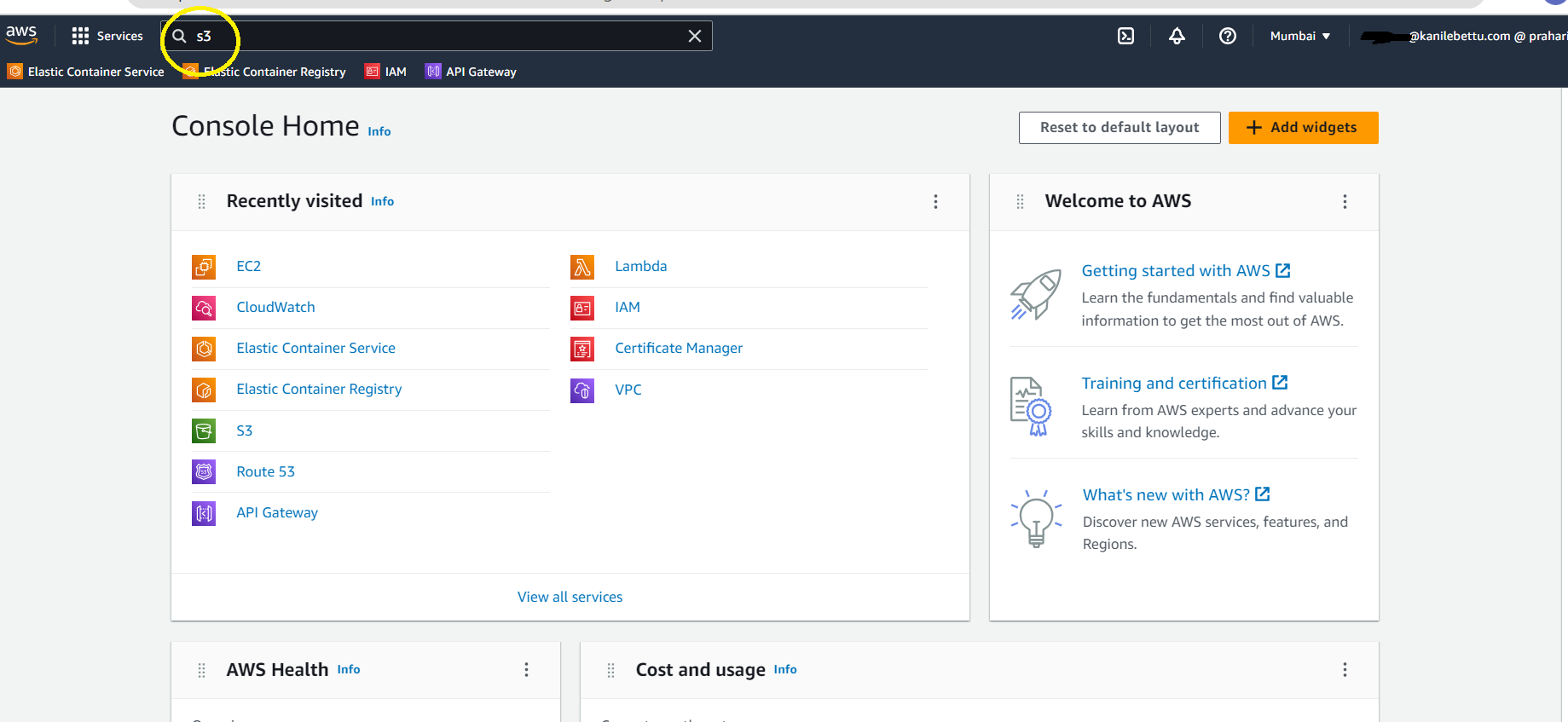
1) Navigate to the Amazon S3 service.
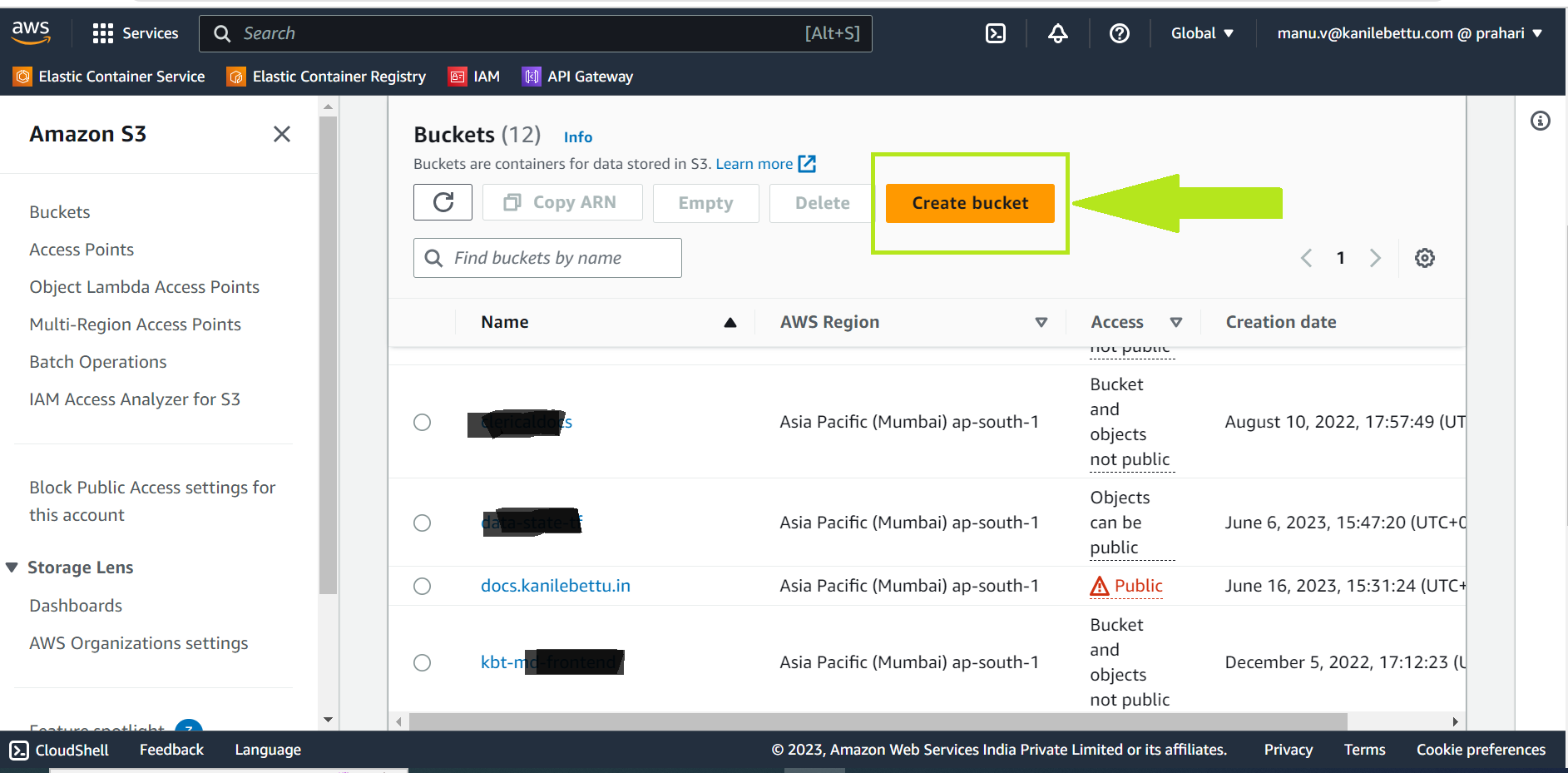
2) Click Create bucket or Select Exiting Bucket
Bucket name should be dns name mandatory |
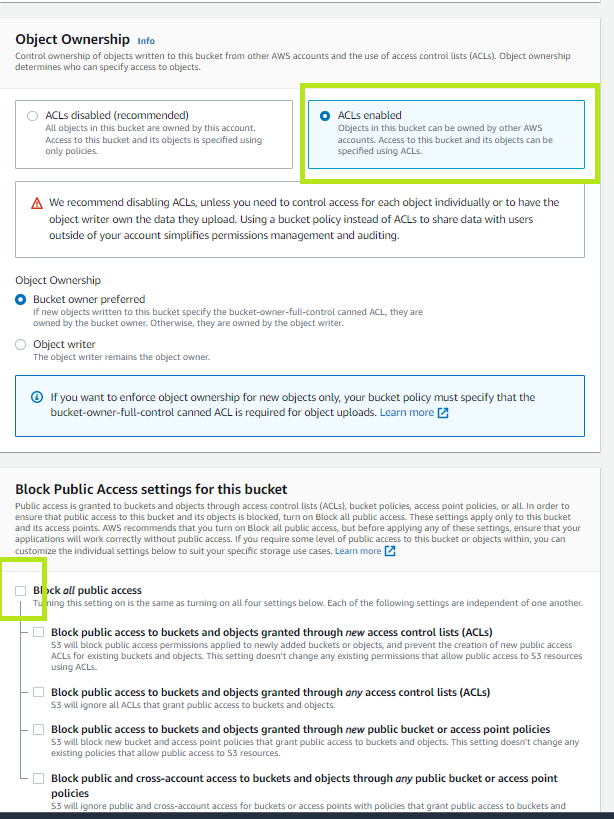
3) While Creating bucket click ACLs enabled and un-check block all public access.
if you are select exiting bucket check the ACLs enabled and un-check block all public Access. In Permission tab.
4.Click Create.
Step 3: Make Your Website Publicly Accessible
-
Select S3 Bucket - Add Bucket Policy to publicly accessible.
Goto Permissions tab
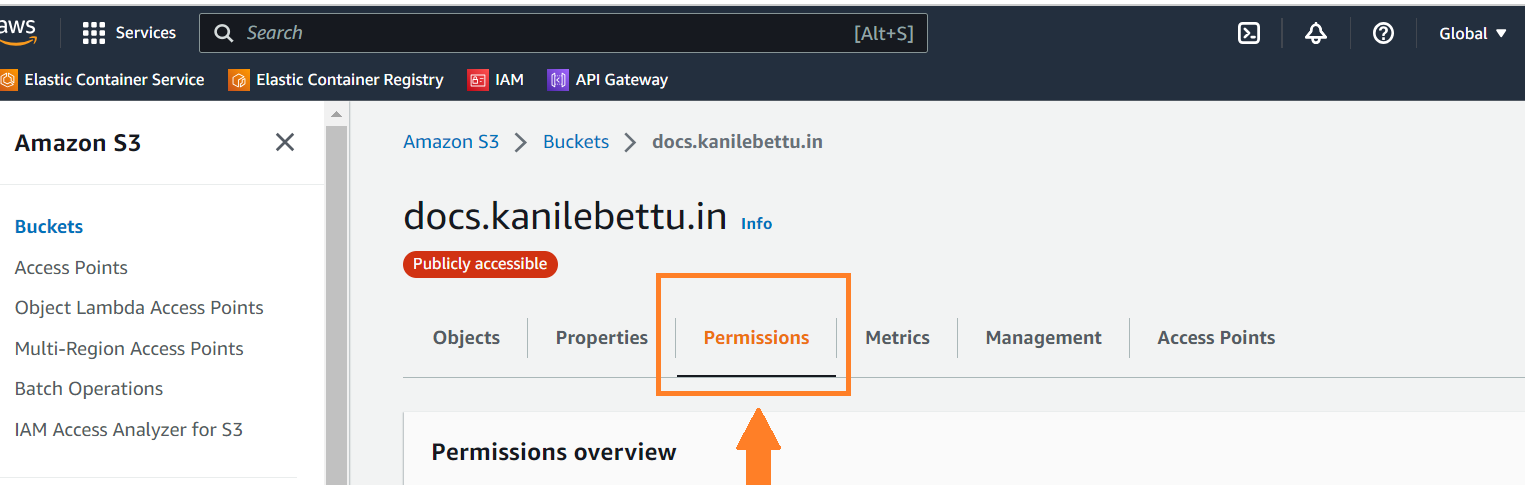
and scroll down to Bucket policy - Edit
{
    "Version": "2012-10-17",
    "Statement": [
        {
            "Sid": "PublicReadGetObject",
            "Effect": "Allow",
            "Principal": "*",
            "Action": "s3:GetObject",
            "Resource": "arn:aws:s3:::<bucket_name>/*"
        }
    ]
}
Copy this policy and past it, change <bucket_name> in Resource section and Save
Step 4: Static web site using Creation
-
Select the newly created bucket.
-
Click Properties and then Static website hosting.
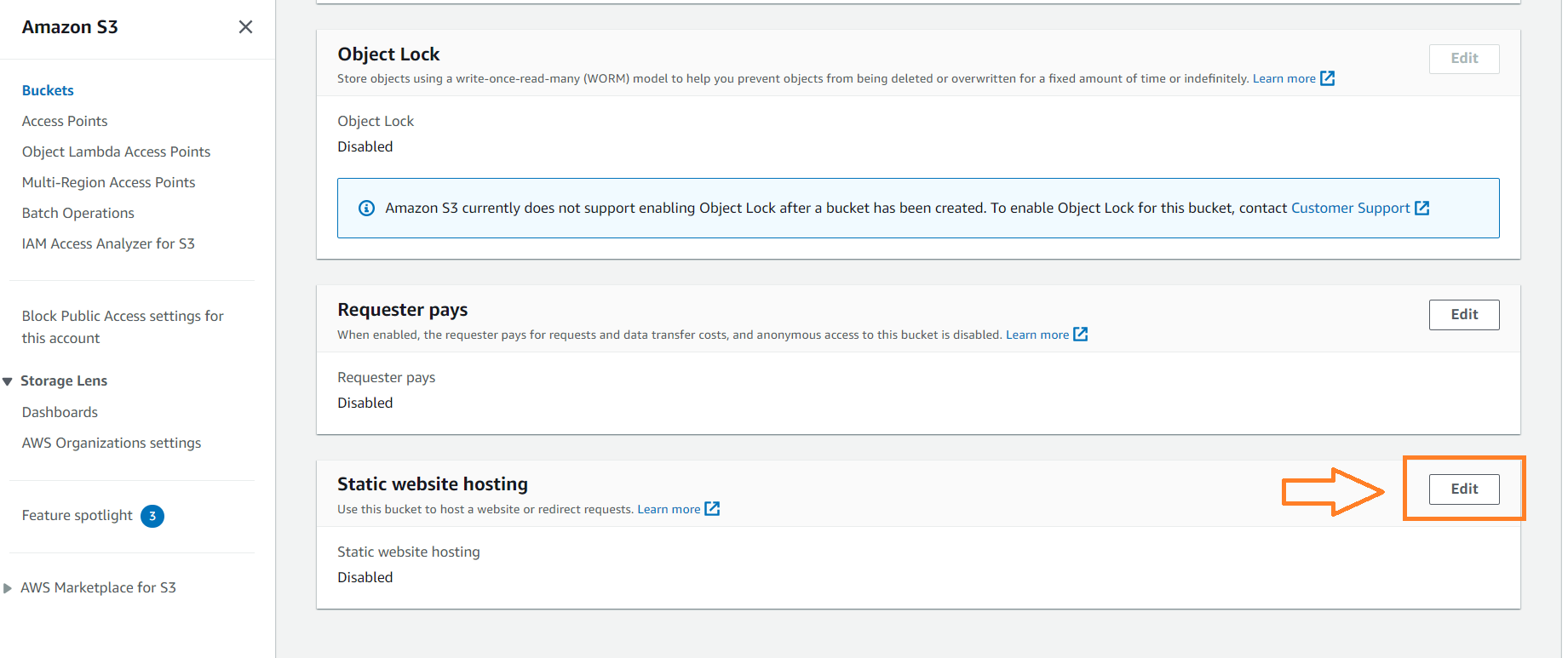
3.Choose Use this bucket to host a website.
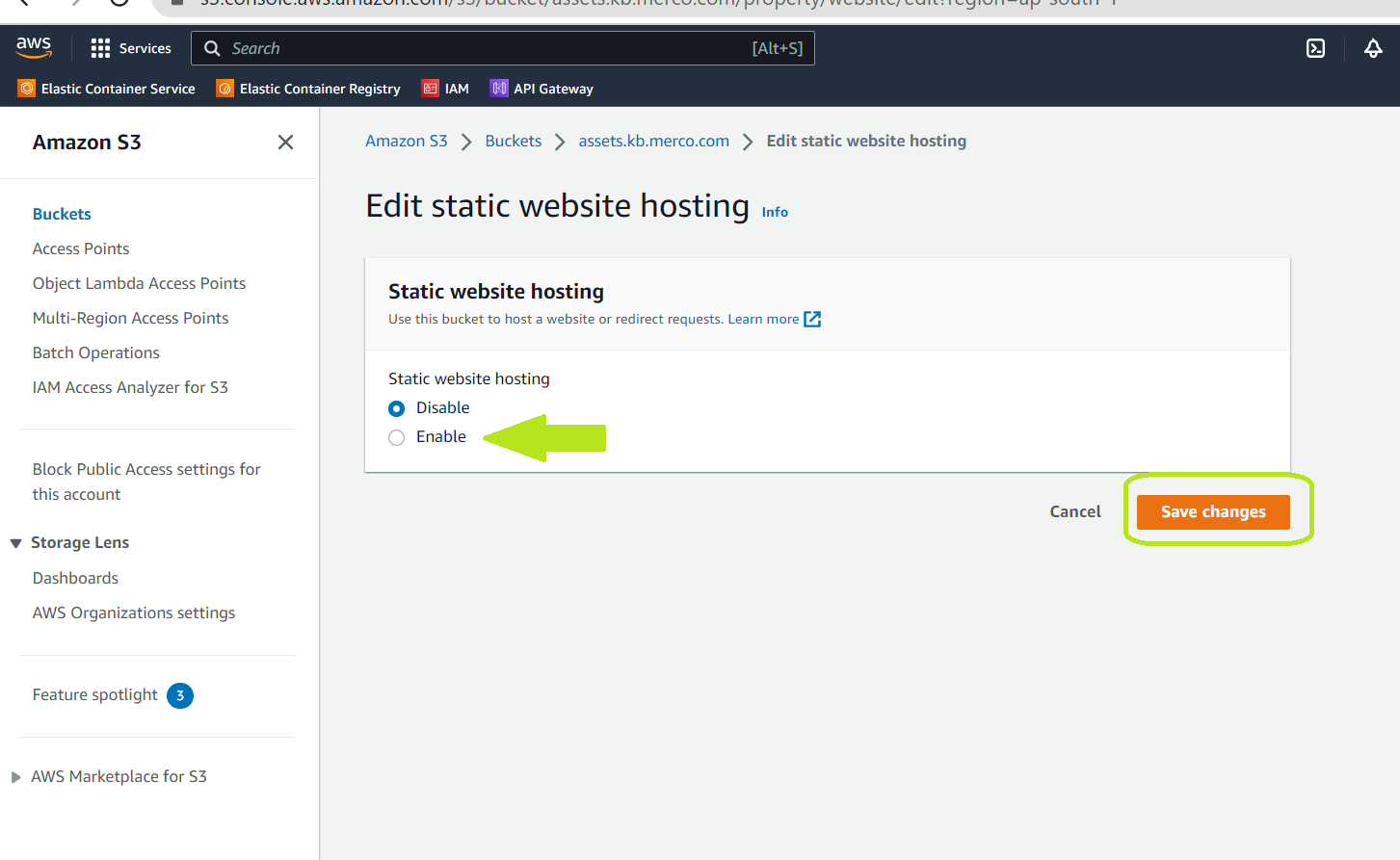
4.In the Index document field, enter the name of the start page of your Antora website (e.g., index.html).
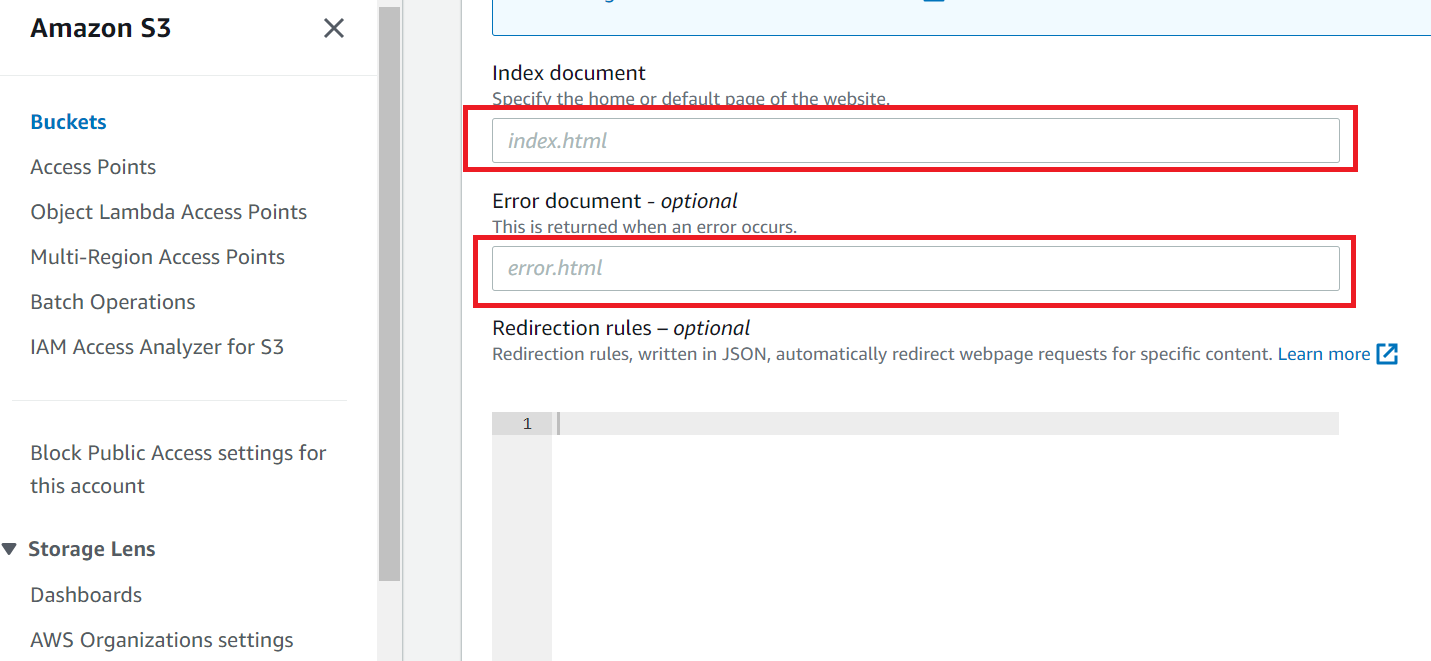
5.Optionally, provide a custom error document for handling 404 errors.
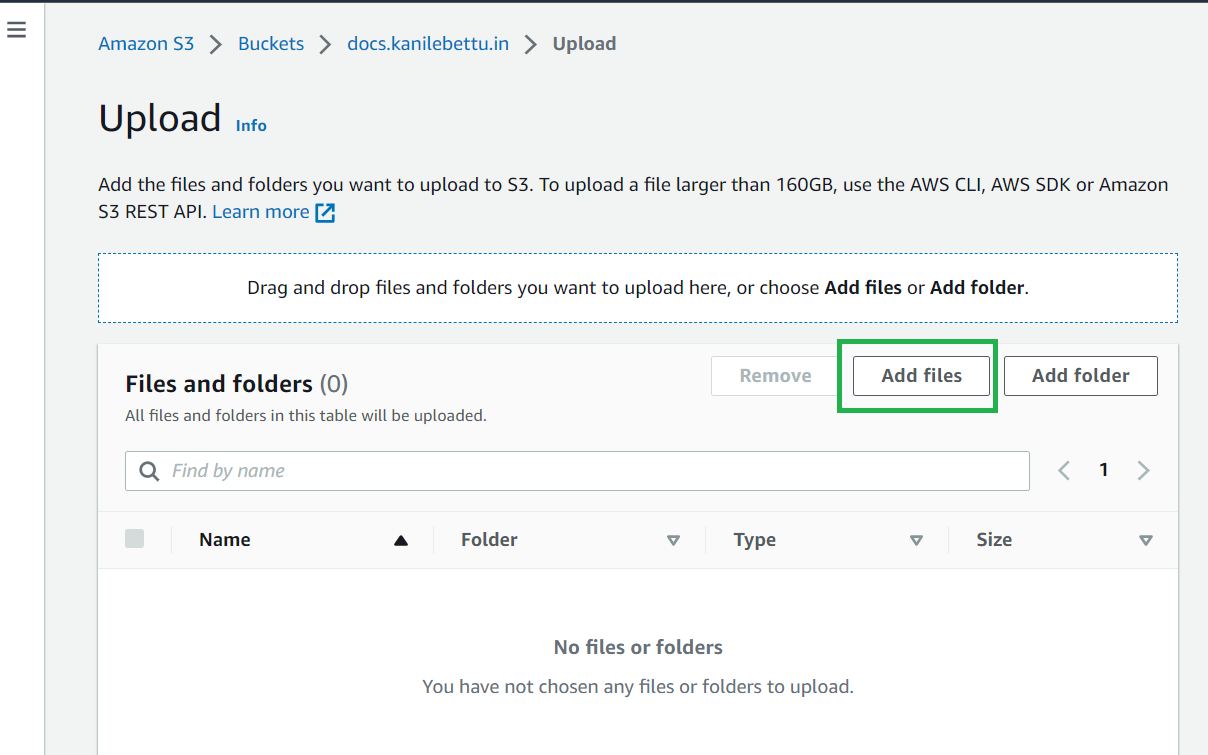
6.Upload index.html and error.html using console
7.Click Save. and Copy Statis website endpoint URL in same tab and Browse it.
ex:
http://docs.kanilebettu.in.s3-website.ap-south-1.amazonaws.com